Case study: FOX Sports and IndyCar

AI that puts every driver’s view on air, automatically

Mobii trained an AI model to recognize what every IndyCar in-car camera is showing, frame by frame. Combined with live race data and automation rules, it places the right graphics on each camera with no one coordinating them. FOX Sports put 30% more in-car coverage on air.

Sports Emmy nominatedFOX Sports’ in-car AR graphics, George Wensel Technical Innovation
30%More in-car coverage on air
30Camera feeds across 15 cars, every race
In-car camera, Indianapolis
Placed by AI, on air
On air
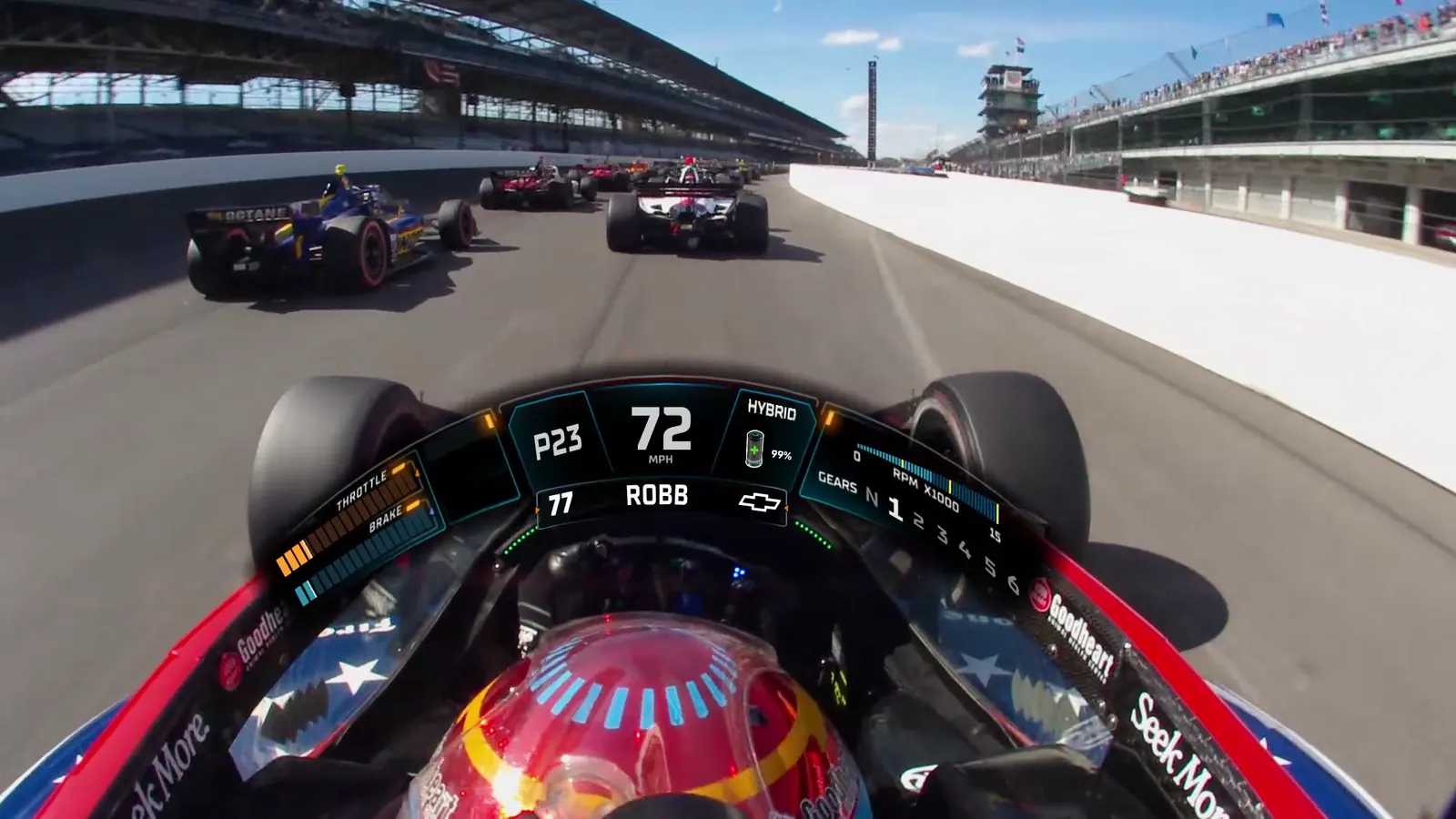
An IndyCar in-car camera view at Indianapolis with the automated graphic showing position, speed, gear and driver name above the cockpit frame
4 to 6Frames to air
15Cars
3Processing units
The role of AI

How AI makes it work

The graphics only work if the system understands what each camera is looking at. That is the job AI does, on every frame of every feed, live.

01 See

Recognize the shot

A Fusion CV model, trained by Mobii on IndyCar footage, recognizes the cockpit frame, the driver, the helmet camera and the cars around them.

02 Understand

Add the race

Each detection is combined with live timing and car data, so the system knows both what the camera sees and what is happening in the race.

03 Act

Decide and place

Automation rules decide which graphic to show, where to place it and when to hide it, for every car at once, in 4 to 6 frames.

On air

See it on air

Five graphics formats, each placed by AI. Several were created during the season, as new ideas came up.

Forward camera

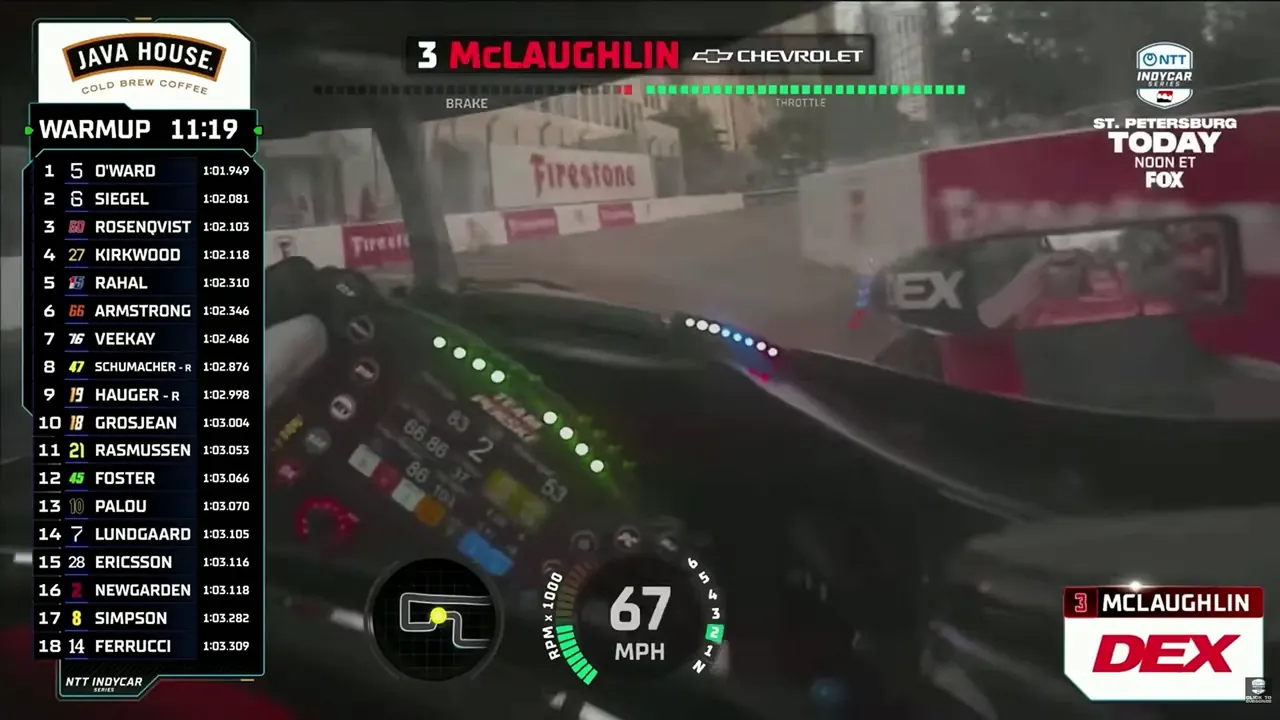
Automated HUD

AI finds the cockpit frame and locks the speed, gear and position graphic onto it as the camera moves.

Helmet camera

Driver’s Eye

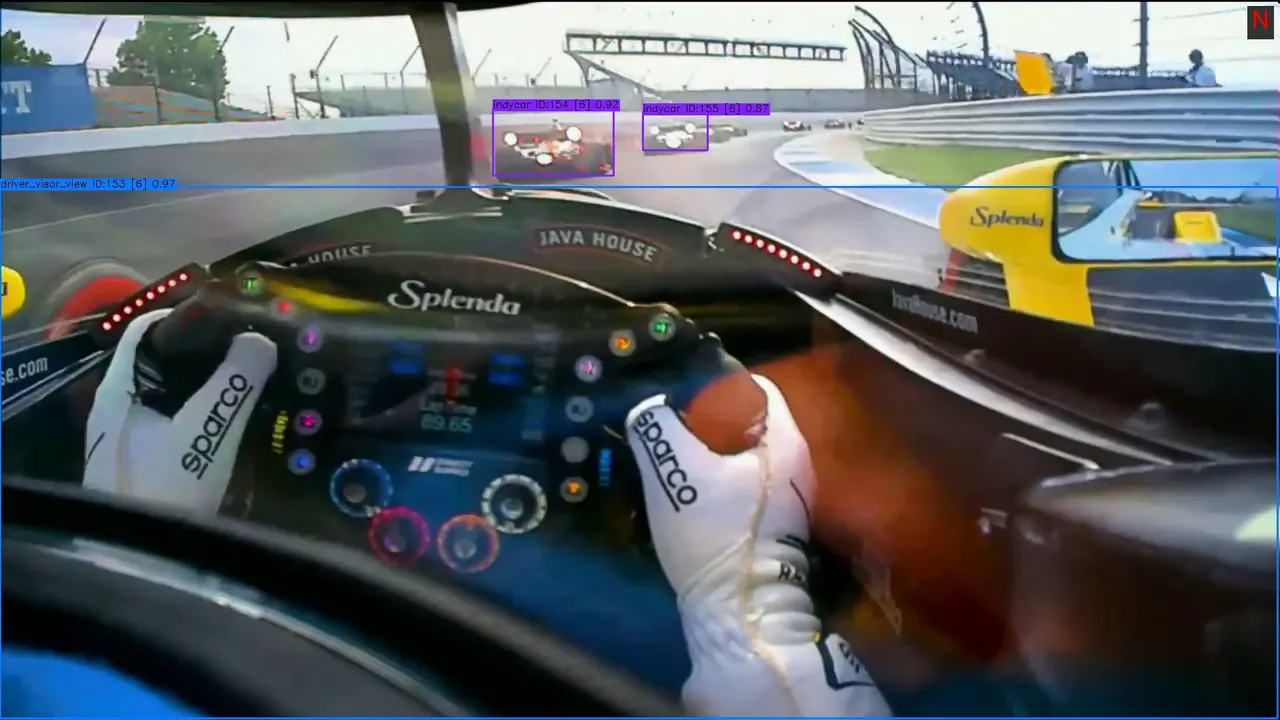
The AI recognizes the feed from the camera inside the driver’s helmet and applies a graphics package made for that view. The steady graphics give viewers a fixed point to look at, which makes the natural shaking of the helmet camera feel much less pronounced.

Detection view identifying the helmet camera view and the cars ahead
Detected by AI
Driver’s Eye on air with throttle, brake, speed and track position graphics
On air
Indy 500

Top Gun

Proposed on the Wednesday before the Indy 500 for the camera facing the driver’s helmet, a view that resembles a fighter pilot in a cockpit. Because the AI already recognized that view, a new graphic could be attached to it quickly. It was live in practice two days later, stayed in for the race, and was used at every event for the rest of the season.

Top Gun on air.

Qualifying

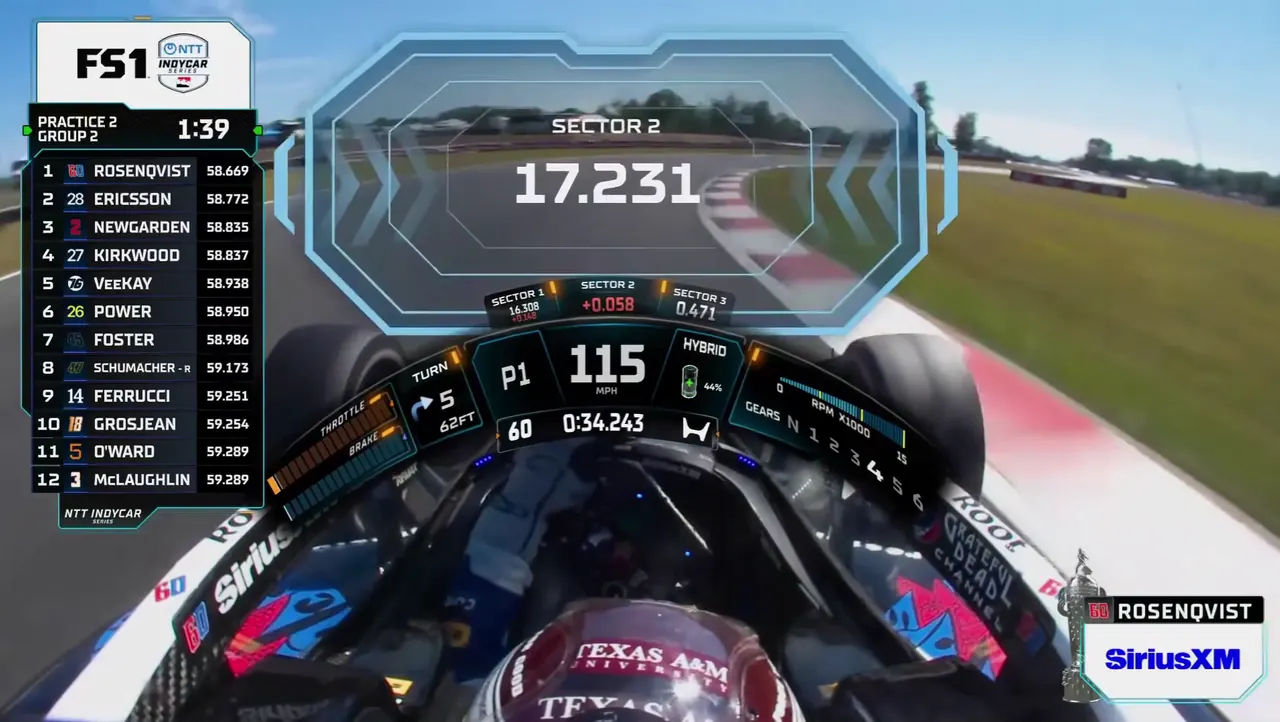
Sector Portals

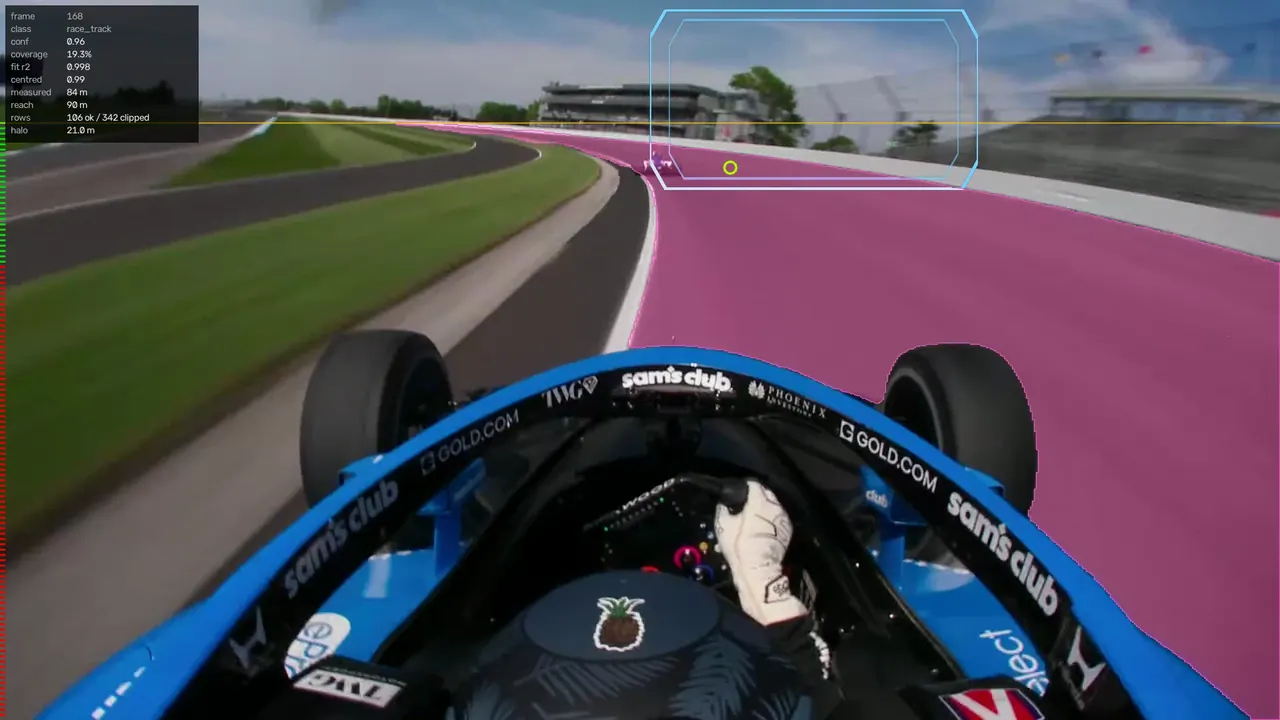
Timing data combined with what the AI can see. The model finds the track surface ahead, so each driver’s sector time appears over the road as they cross into the next part of the lap.

Detection view with the race track surface highlighted and the portal position marked
Detected by AI
Sector Portal on air showing a sector time over the track ahead
On air
Laguna Seca

Turn Data

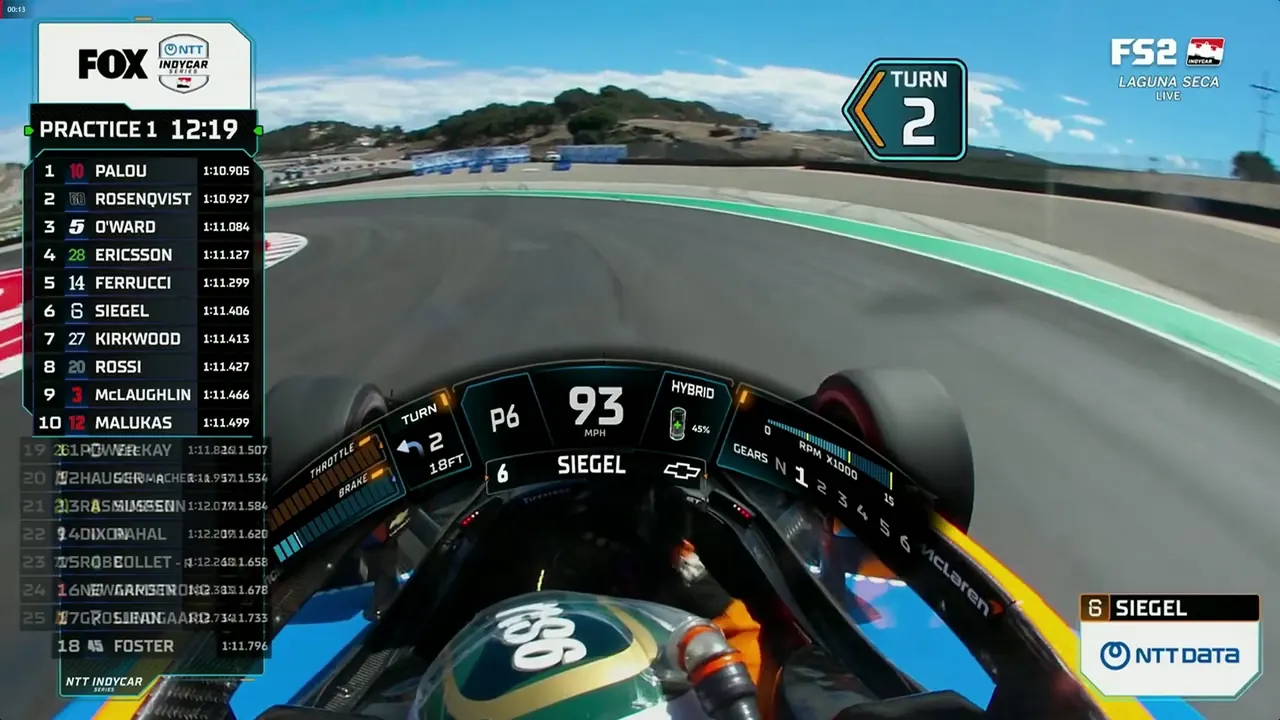
Each corner’s number and direction marked directly on the camera view as the car approaches it.

In-car view at Laguna Seca with a Turn 2 marker on the camera view

On air

The challenge

A great shot that was hard to get on air

The in-car camera is one of the most watched shots in IndyCar. FOX Sports adds a graphic to it showing the driver’s speed, gear and position, but the graphic only worked with the camera pointing straight ahead, and getting it there took three teams working together, one car at a time.

  • Three teams coordinating every graphic, live on air
  • Only one car at a time, out of a full field
  • Lost whenever the camera turned or switched view

Why the graphic was hard to use

Each car carries up to four cameras. Camera operators can turn a camera all the way around to follow the action, or switch to a different camera on the car at any moment. That freedom is what makes in-car shots worth watching.

The graphic is designed to sit on the cockpit frame of the forward camera, so it only made sense when the camera was centered on it. Every time the Director wanted it, the camera had to be pointed straight ahead, the graphic switched on and the shot taken to air. Then the whole sequence was reversed so the camera operator could get on with other shots.

That took several seconds, needed the Director, a camera operator and the graphics team in step, and worked for only one car at a time. With the race moving on, the in-car shot with graphics often never made it to air.
What FOX Sports asked for

  • Graphics that appear and disappear on their own, with no coordination needed
  • Every in-car camera on every car covered at once
  • A system that runs on site, alongside the rest of the production
  • As little delay as possible, without losing picture quality
  • Less for the team on site to manage during the race
BeforeManual

Asks for the graphic on a specific car.

An operator centers that car’s camera on the cockpit frame.

The graphics team switches the overlay on.

The shot goes to air, then the process runs in reverse to remove it.

Three teams, one car at a timeEvery graphic needed the Director, a camera operator and the graphics team to coordinate, live on air, taking several seconds each time. Many in-car shots never made it to air.
AfterAutomated by AI

Each camera feed passes through Mobii’s system in the production truck.

AI recognizes what the camera is showing, and the live race data is read alongside it.

Automation rules decide which graphic to show, and where to place it.

A finished feed returns to the production team, ready to take to air.

Every car at once, in 4 to 6 framesFully automated, with no coordination between teams. Every in-car camera is handled at the same time, fast enough to sit alongside every other camera without any noticeable delay.
The solution

What Mobii built

Five Mobii products, working together at the track, with AI at the center.

Three Zenith processing units in the FOX Sports production truck run Mobii’s AI on every in-car feed, combine it with live race data and apply automation rules, so the right graphics go on air without anyone coordinating them.

ZenithZenithThe hardware at the track
FusionFusionRuns the AI and builds each picture
CodeCodeThe race data behind every graphic
StudioStudioAutomation rules, controls and rehearsal
PrismPrismSets up and connects it all, on site
Fusion

What the AI sees

Mobii trained a Fusion CV model on IndyCar footage to recognize what an in-car camera is looking at: the cockpit frame, the rear wing, the driver’s helmet and other cars on track. It checks every frame of every camera, scores how confident it is in each detection, and gained new skills as the season went on.

  • Every car in view, identified and scored
  • The cockpit frame located precisely, so the graphic lines up
  • The camera view recognized, so the right graphic is chosen

A sequence of race clips with each detection labeled as the Fusion CV model finds it.

Studio

Automation rules

The rules turn what the AI sees into decisions on air. Each rule can combine an AI detection with live race data and timing, for example the forward camera is centered and the car is on track and not in the pit lane. Studio runs every rule for every car independently, so 15 cars are handled as easily as one.

  • AI detections and race data combined in a single rule
  • Low-confidence detections ignored, so a doubtful frame does not change what is on air
  • Every car handled on its own, at the same time

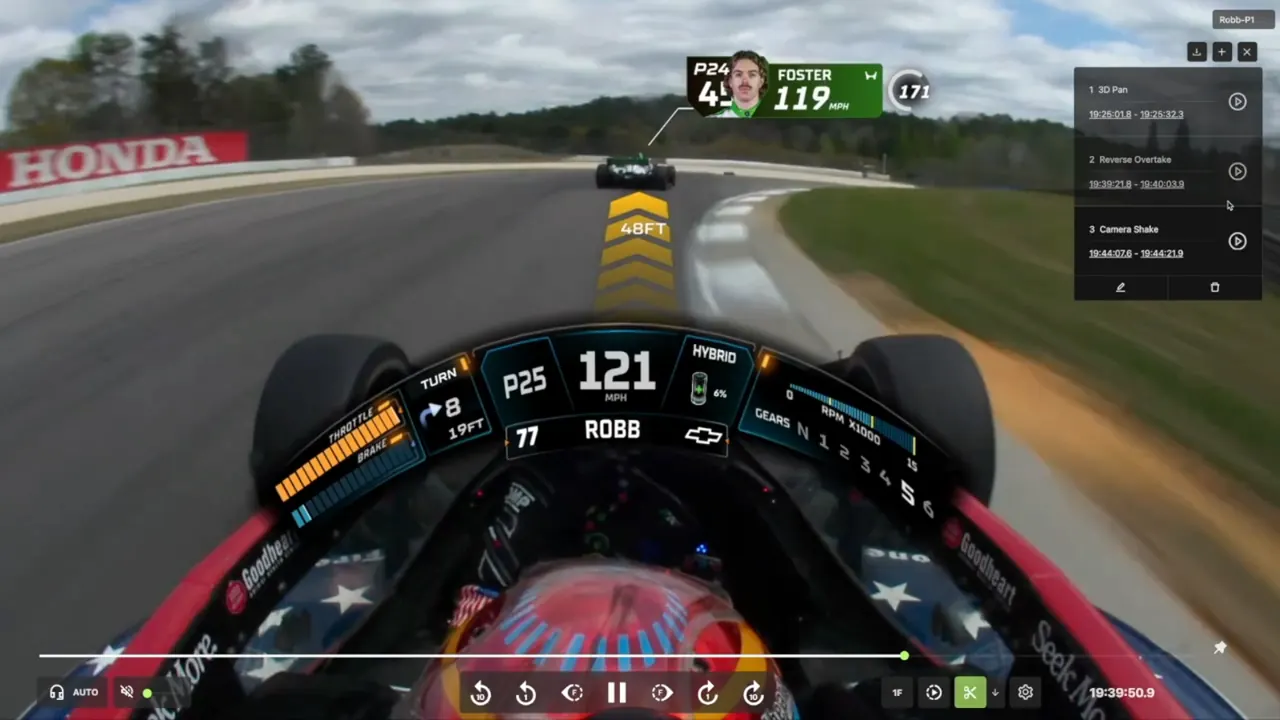
An illustration of how automation rules are set up in Studio.

Built to change

Rules are changed, not rebuilt. New graphics, new detections and new conditions were added through the season without re-engineering the system.

Tested before air

Every change can be run against recorded races in Simulation first, using the AI detections and data from earlier events, so problems show up in rehearsal.

People stay in charge

Operators switch modes for each session and can take manual control at any moment. The automation picks up again from where the race has got to.

A few of the rules

WhenThen
The AI sees the cockpit frame on the forward cameraShow the graphic and line it up precisely
The operator turns the camera or switches to a rear viewHide the graphic
The AI recognizes the helmet cameraSwitch to the Driver’s Eye graphics
A car enters the pit laneHide it until the car leaves
A race start or restartHold graphics until the race goes green
A car is involved in an accidentHide that car’s graphics
Data from one car drops outHide only the affected part of the graphic

What each product does

ZenithZenith

The hardware at the track

Three processing units racked in the FOX Sports production truck, where every in-car camera feed passes through on its way to the production team.

  • Each unit takes in 10 camera feeds and returns 10 finished feeds
  • Graphics processors in each unit run the AI on every frame
  • One unit leads and the other two stand ready to take over at any moment
FusionFusion

Runs the AI and builds each picture

The engine on each Zenith unit. It runs the AI, draws the graphics and returns the finished feed.

  • Runs the IndyCar Fusion CV model on every frame of every feed
  • Places each graphic using the exact position of what the AI detected
  • Renders the custom graphics Mobii built for the broadcast
  • Returns the finished feed in 4 to 6 frames
  • New detections were added during the season without slowing it down
CodeCode

The race data behind every graphic

Brings the live race data in and keeps it next to the AI’s detections, so the rules can use both together.

  • Two live connections to IndyCar’s timing and car data
  • Speed, gear, throttle, brake and position for every car
  • AI detections and race data stored together on each unit, built for speed
StudioStudio

Automation rules, controls and rehearsal

Where the show is defined, run and improved.

  • Automation rules that combine AI detections with race data
  • Modes for warm-up, qualifying and the race, switched in one step
  • Remote monitoring with alerts when incoming data has a problem
  • Push-button control panels that update as new graphics are added
  • Simulation to replay recorded races and test changes between events
PrismPrism

Sets up and connects it all, on site

The platform that configures the event, the processing units and the data connections.

  • Event, unit and data setup in one place
  • Remote control and monitoring of every unit
  • Everything stays on site, with no video or data sent online
How it ran

Run remotely, improved between races

Because the AI and the rules handled each car on their own, two remote operators could supervise every race, with one standby operator on site. Between races, recorded races were replayed to test changes and build new graphics.

2Remote operators
1Standby operator on site
Studio

Run remotely

With the AI and the rules doing the moment-to-moment work, the operators’ job was to supervise. They set the system into the right mode for each session and the automation looked after each car on its own.

  • A mode for each session: warm-up, qualifying and the race
  • The health of every feed and the incoming data watched live
  • Alerts when data coming in from upstream had a problem
  • Manual control available at any moment

Remote operation support during a race.

Studio

Rehearsing on recorded races

Every race was recorded, camera feeds, AI detections and car data together. Between events, the team replayed those recordings through the Simulation feature in Studio.

  • Rule changes checked against real race footage
  • New graphics built and refined without waiting for a live session
  • The AI model improved and checked before the next event
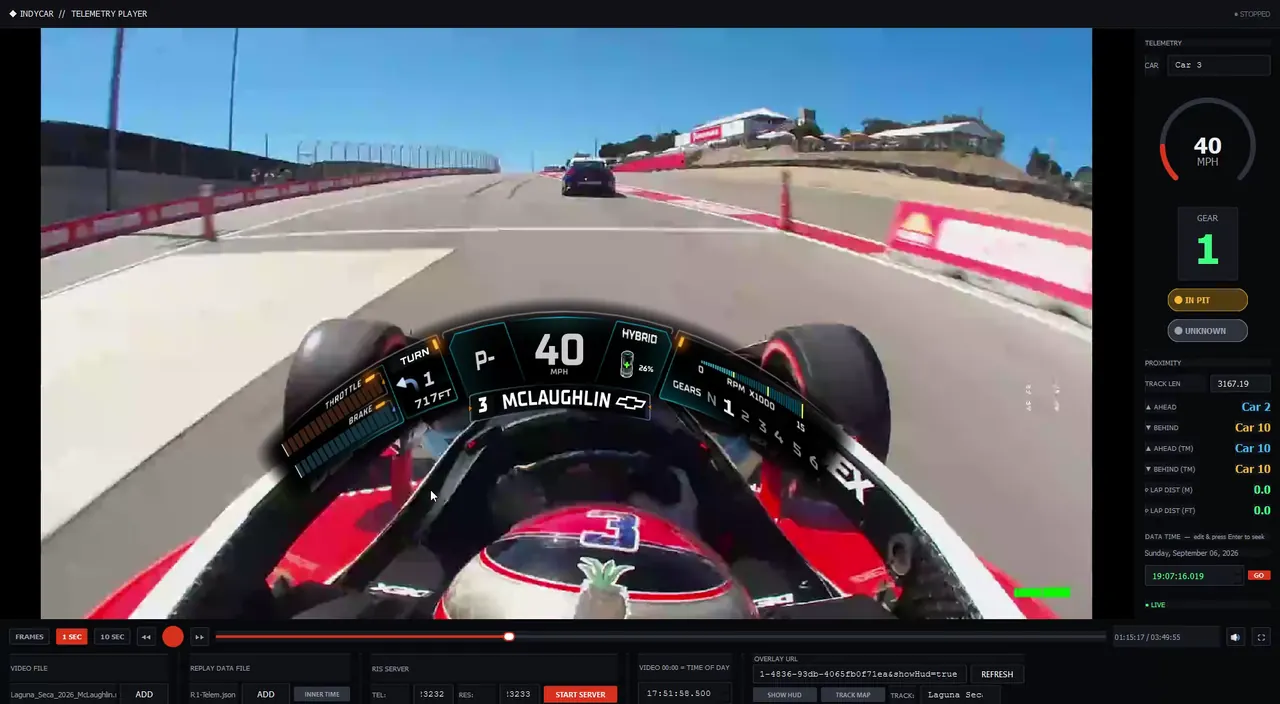
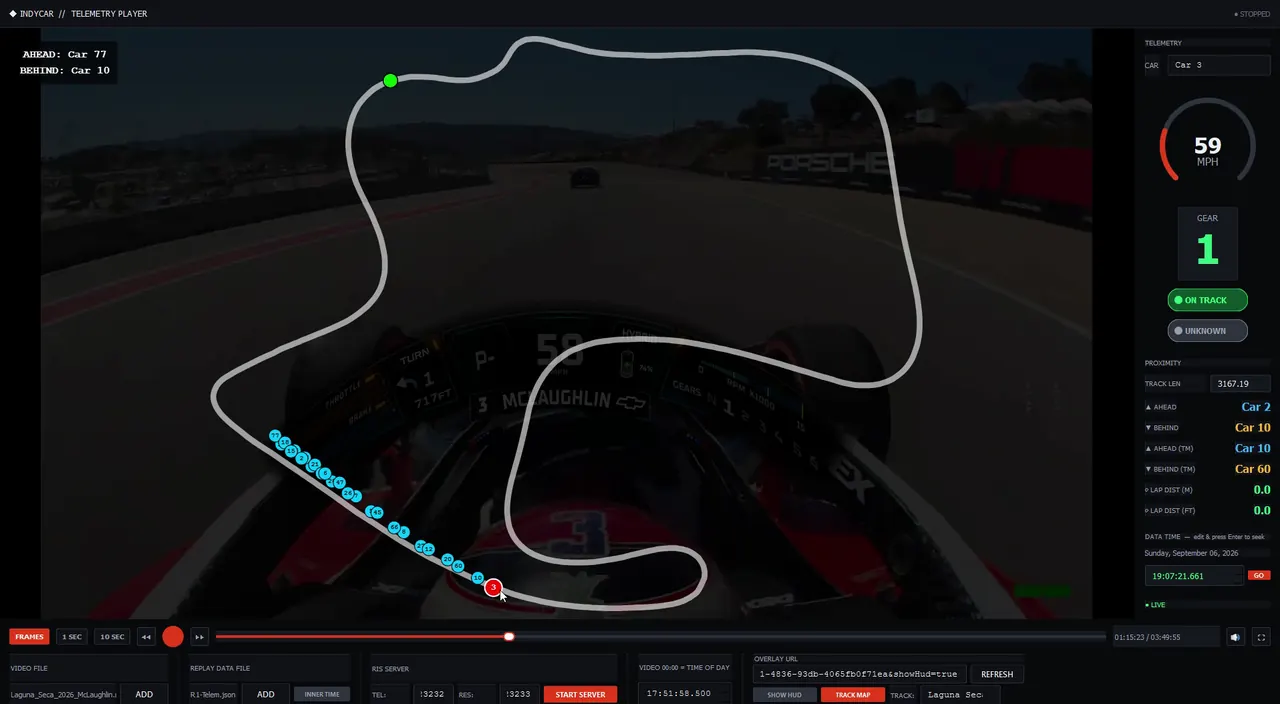
Replay tool showing recorded in-car footage from Laguna Seca with the graphic applied and the matching car data alongside
The same replay with a track map showing the position of every car
The same replay with every car’s position on the track map.
In-car replay with an early Pointers marker above the car ahead showing its driver, position and speed, and the distance to it
An early version of Pointers, a marker for the car ahead, developed in Simulation. Not taken to air this season.
The result

In-car coverage on air increased by 30%

With AI handling the graphics on every in-car camera, these feeds became a regular part of the broadcast rather than an occasional extra. The Director had more options and fewer distractions.

Following one driver with the forward view and helmet view side by side, cutting to the Top Gun view, or comparing two drivers in a split screen all became routine. The production team could spend their attention on the race itself, and viewers got richer context on every battle as it unfolded.