Your team sets the rules. Mobii’s AI runs the production. Studio follows the event through live data, the cameras and the commentary, decides what goes to air and places the graphics on the right frame, producing every output from the main broadcast to vertical, multiview and localized feeds. Your team keeps full control of every output throughout.
Your team sets the ruleswhen the lead changes, show the top two
AI runs the production
cut to OB-12Leader graphic onReplay the overtakeBack to the wide
Full controlAutoManual
Every output
Main broadcast
Vertical
Multiview
Localized
At a glance
One feed, every output
The main broadcast, vertical feeds, multiviews and localized feeds, all produced from the same source.
Automation powered by data
Studio watches the event as it happens and acts on live data, camera detections and the commentary.
Graphics that follow the data
Scores, timing and names placed automatically from the event data, on the right frame.
You set the rules, AI runs the show
Your producers set the rules in plain broadcast terms, and Studio’s AI carries them out live, rehearsed before air.
Your team in charge
Override, hold or take any decision early, switch to manual with one control, and never go to black.
Proven on air
Sports Emmy nominated graphics for FOX Sports and IndyCar, and 45 live outputs at once for NASCAR on HBO Max.
The problem
More outputs, the same budget
A live broadcast directed from a control room costs broadly the same whether it is a headline fixture or a lower division match. At the same time, every event is expected to serve more markets, more platforms and more sponsors, and each of those normally needs more people, more equipment and more systems to connect.
What it does
Automated live production
Your producer sets out how a show should be directed, in plain language. Studio watches the event as it happens and makes those decisions live, while your team keeps full control of the show.
Automated graphics
Scores, timing, names and lower thirds placed automatically from event data, on the right frame.
Directs from rules
Shows are set up in broadcast terms, such as “when the lead changes, show the top two”, with templates for each sport.
Many outputs from one source
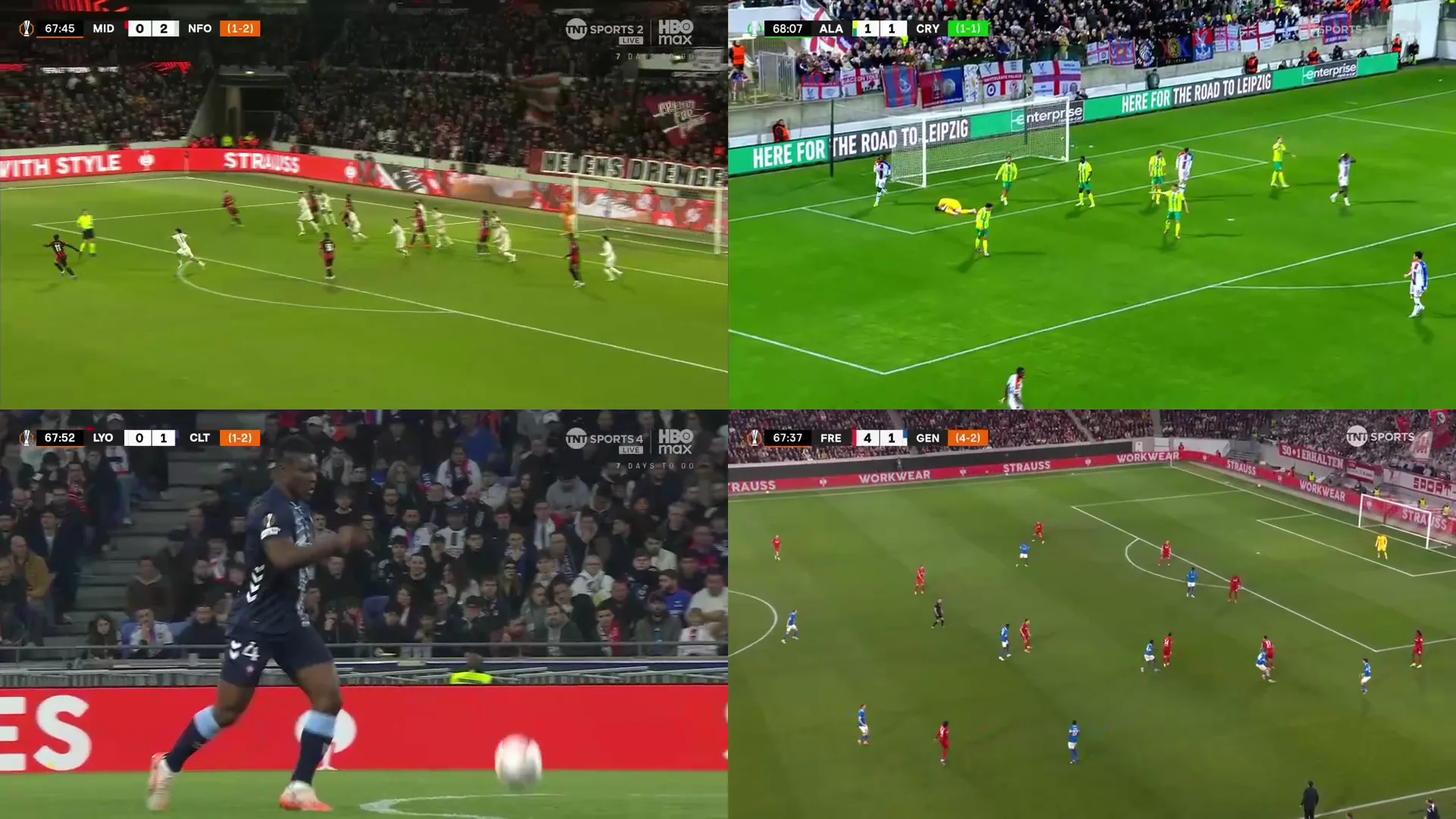
The main broadcast, vertical feeds for mobile and social, multiviews, and localized feeds with translated captions and AI voiced commentary.
Sponsor moments
Sponsor and advertising graphics triggered by key moments in the event, creating new inventory to sell.
Rehearse and explain
Test any show against sample data before it goes to air. A live log shows what happened, what Studio did and why.
Your team in charge
Override, hold, skip or take any decision early, switch to manual with one control, and Studio never goes to black.
No data vendor needed. Your team can create its own data by tagging moments in Code as they happen, connect official data feeds, or let Mobii’s AI detect what is happening from the cameras.
See it working
Studio in use
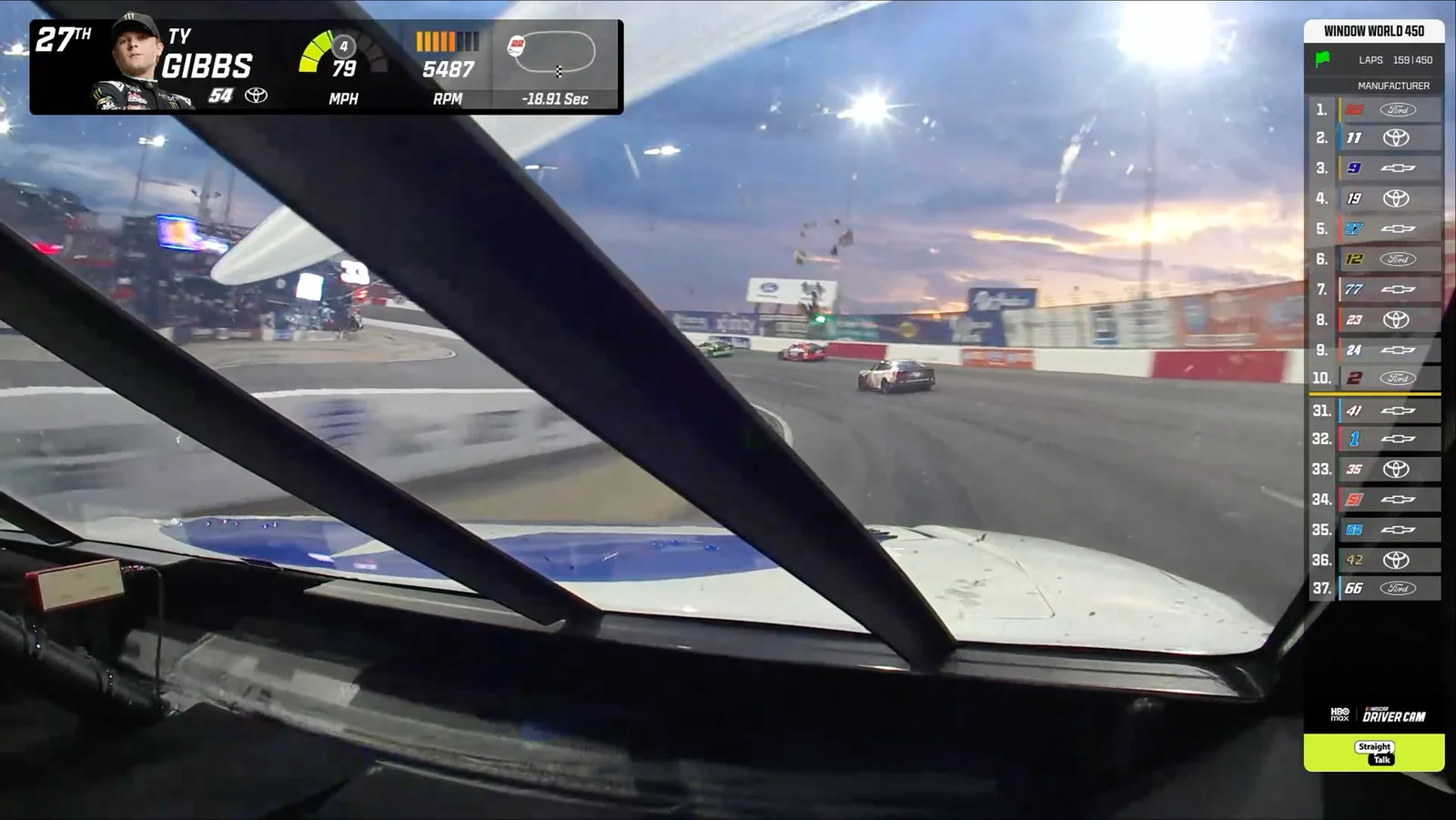
Automated graphics for FOX Sports and IndyCar, and every driver feed and multiview for NASCAR on HBO Max, all produced by Studio.
Now showing
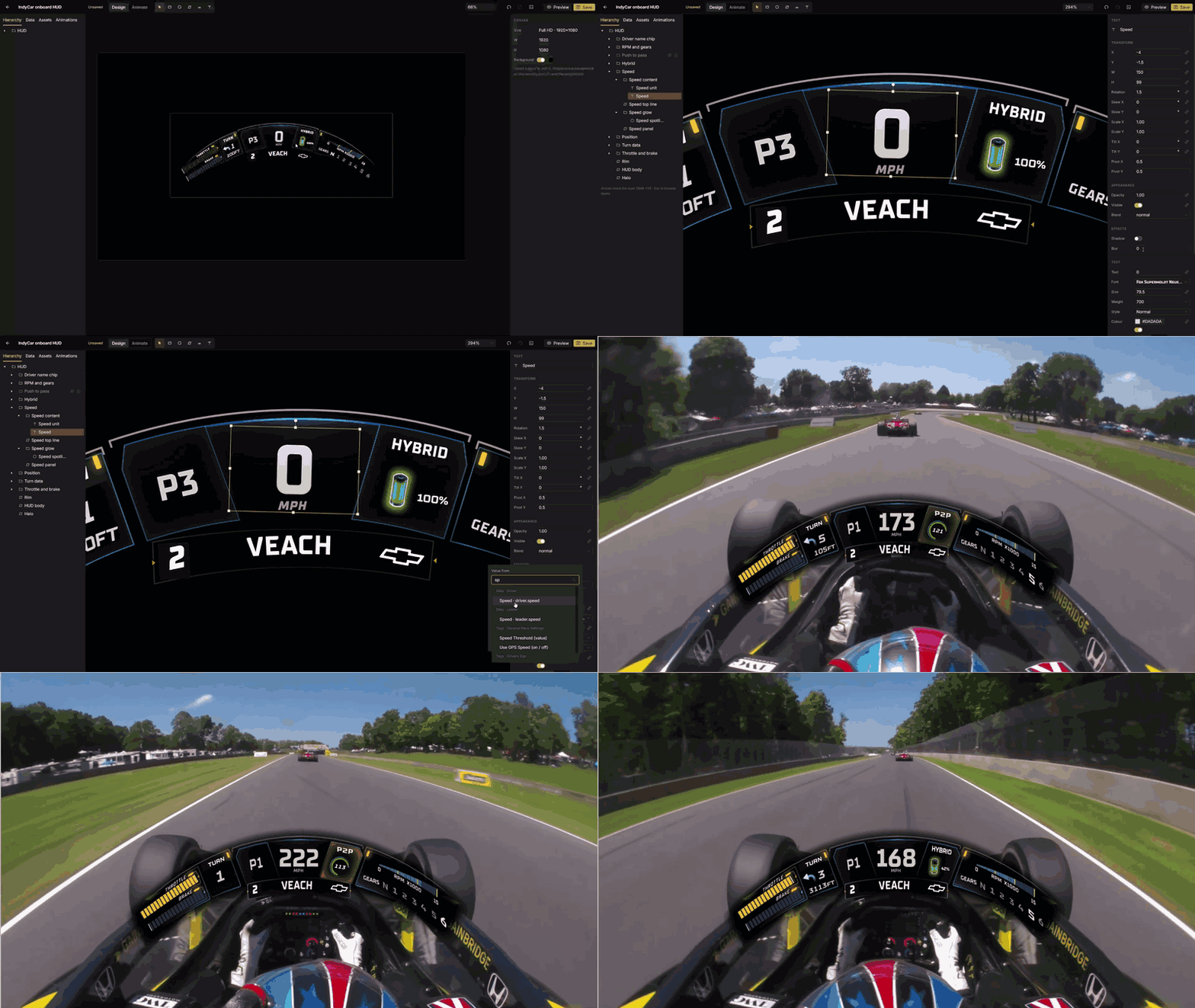
Automated HUD
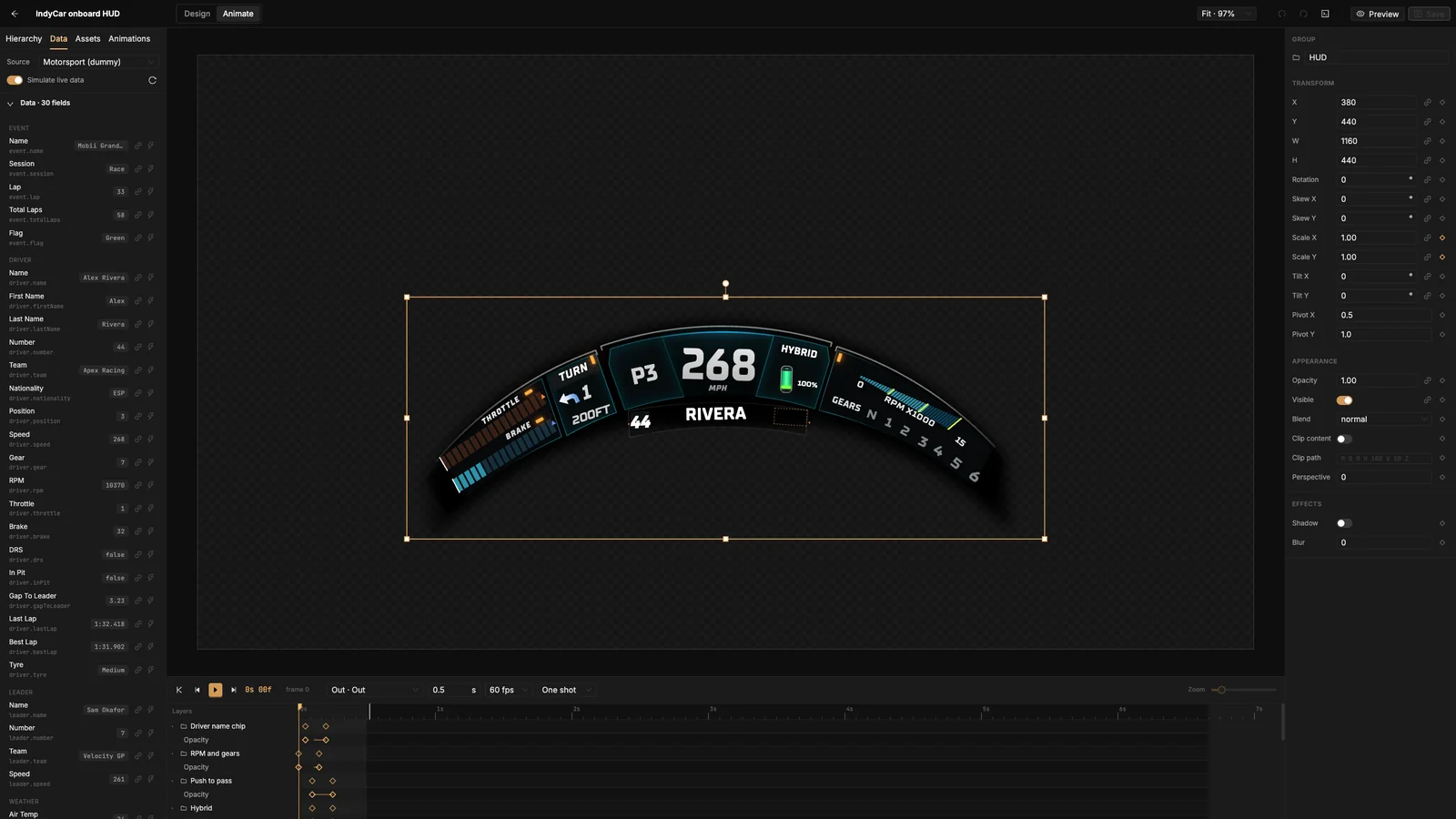
FOX Sports and IndyCar. AI finds the cockpit frame and Studio locks the speed, gear and position graphic onto it as the camera moves.
Inside Studio
Build the show, then let it run
Show logic decides what goes to air, Studio Graphics decides how it looks, and the controller keeps your operators in charge.
Show logic
Build the show logic
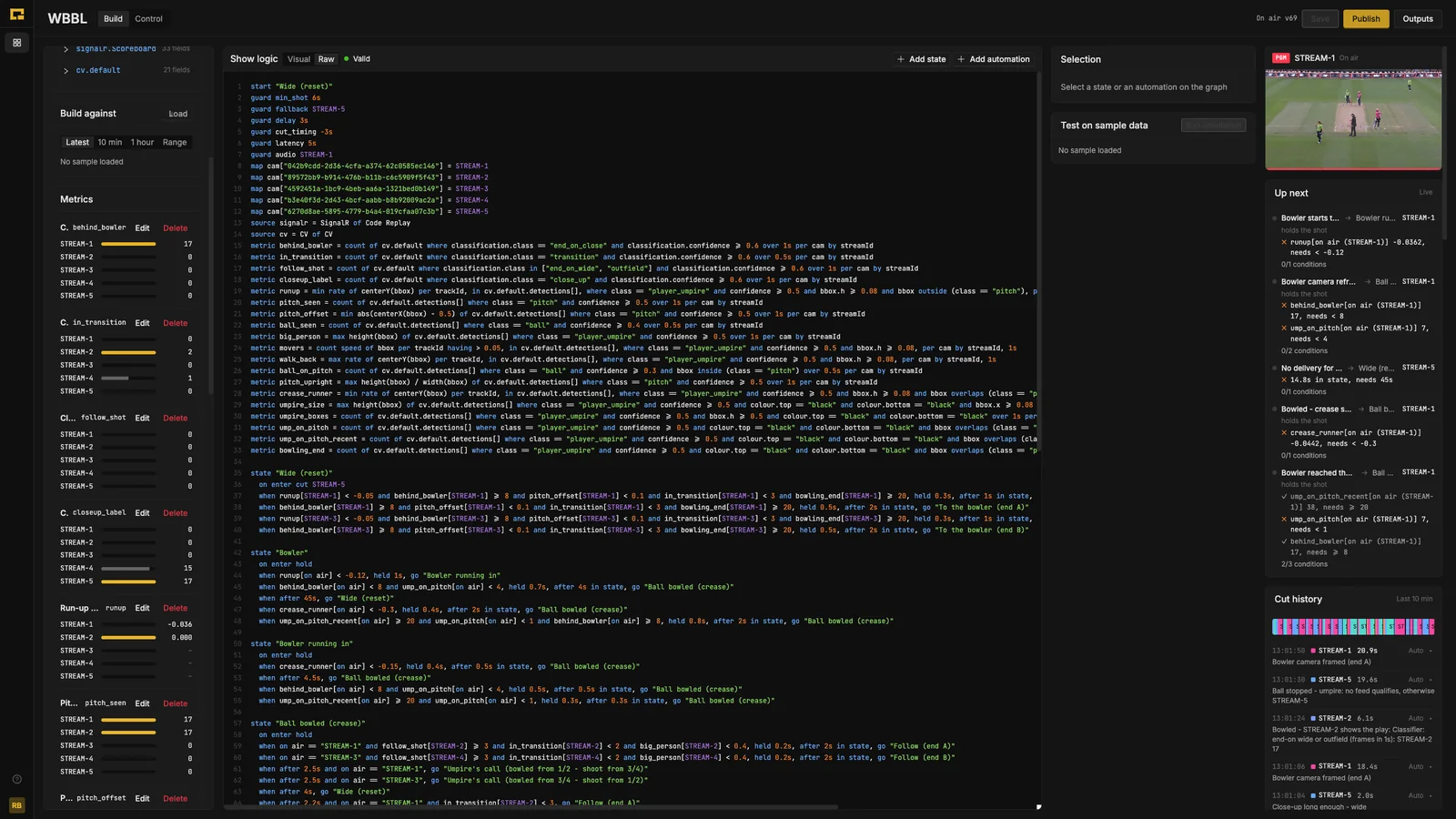
Each state says what should be on air, and each transition says when to move on: a change in the data, a detection from the cameras, or time. Shows start from a template for the sport and are shaped to the event.
States for each kind of shot, such as the bowler, the wide or an onboard
Transitions that fire on live data, Fusion CV detections or a timer
Show guards for minimum shot length, cut timing and a fallback feed
Test the whole show on sample data before it goes to air
Studio MCP
Or configure the show with the AI of your choice
Studio has an MCP server, so you can connect the LLM of your choice and describe what you want in plain language. The assistant builds and changes the show logic in Studio for you, and your team reviews it before it goes to air.
Set up states, transitions and show guards from a description
Validate a show and test it on sample data
Ask why a cut happened, or why it did not
Works with any assistant that supports MCP
You
When the leader changes, cut to the new leader’s onboard for 15 seconds, then go back to the wide.
Assistant, using the Studio MCP
Added a Leader state and a transition back to Wide.state Leader: cut OB-{leader}
when leader changes: go to Leader
after 15s in Leader: go to Wide
● Show valid Tested on sample data: 6 leader changes, 6 cuts.
Data from Code
All data available to automate the show
Studio works from all of the data Code brings together, so a show can be driven by whatever is happening in the event: what the official data says, what the cameras see and what is being said.
Official data from APIs and Data Connectors: scoring, timing and telemetry
Fusion CV detections from the cameras: players, cars, objects and poses
ASR on the commentary and audio: speech turned into text and triggers
Moments tagged live by your team in Code
The signals available depend on the edition.
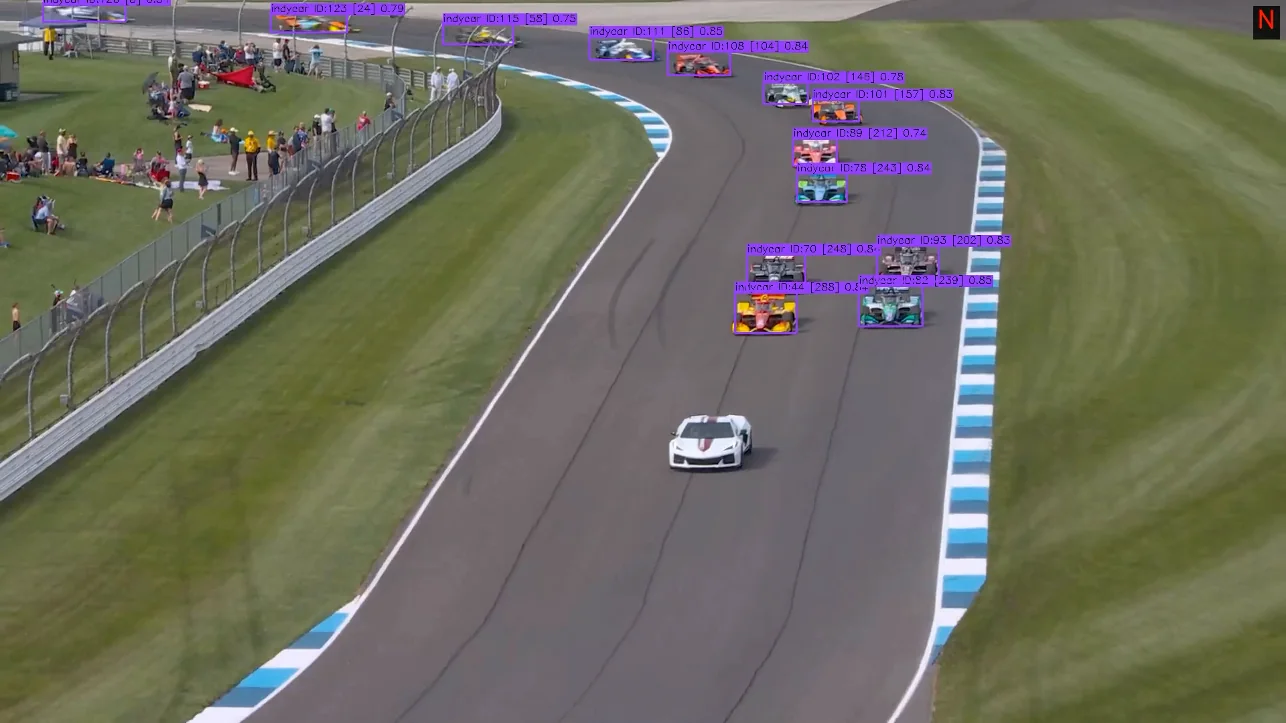
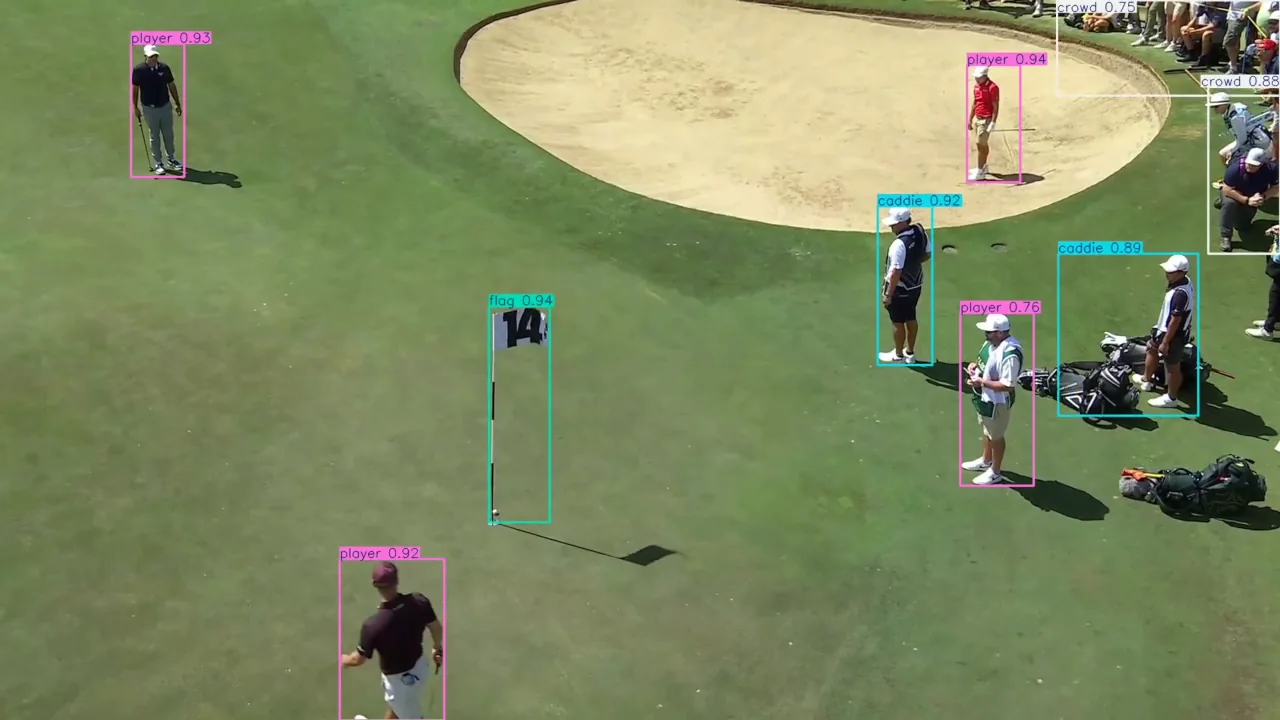
Fusion CV detections, ready to use in show logic: every car identified on track, and players, caddies and the flag on a green.
Explainable
Every decision, explained
The same logic can be read visually or as plain rules. While a show runs, Studio lists what is up next and keeps a cut history that says which feed went to air and why.
Visual and raw views of the same show
Up next shows the conditions each cut is waiting on
Cut history records every cut, its duration and the reason
Studio Graphics
Graphics that follow the data
Design and animate HTML graphics in Studio, connect them to live data, and add rules that decide when each one plays, updates or leaves the screen.
Design and animate on a timeline, with layers and keyframes
Bind every field to live data, or simulate it while you build
Rules such as when a flag is on, play the flashing animation
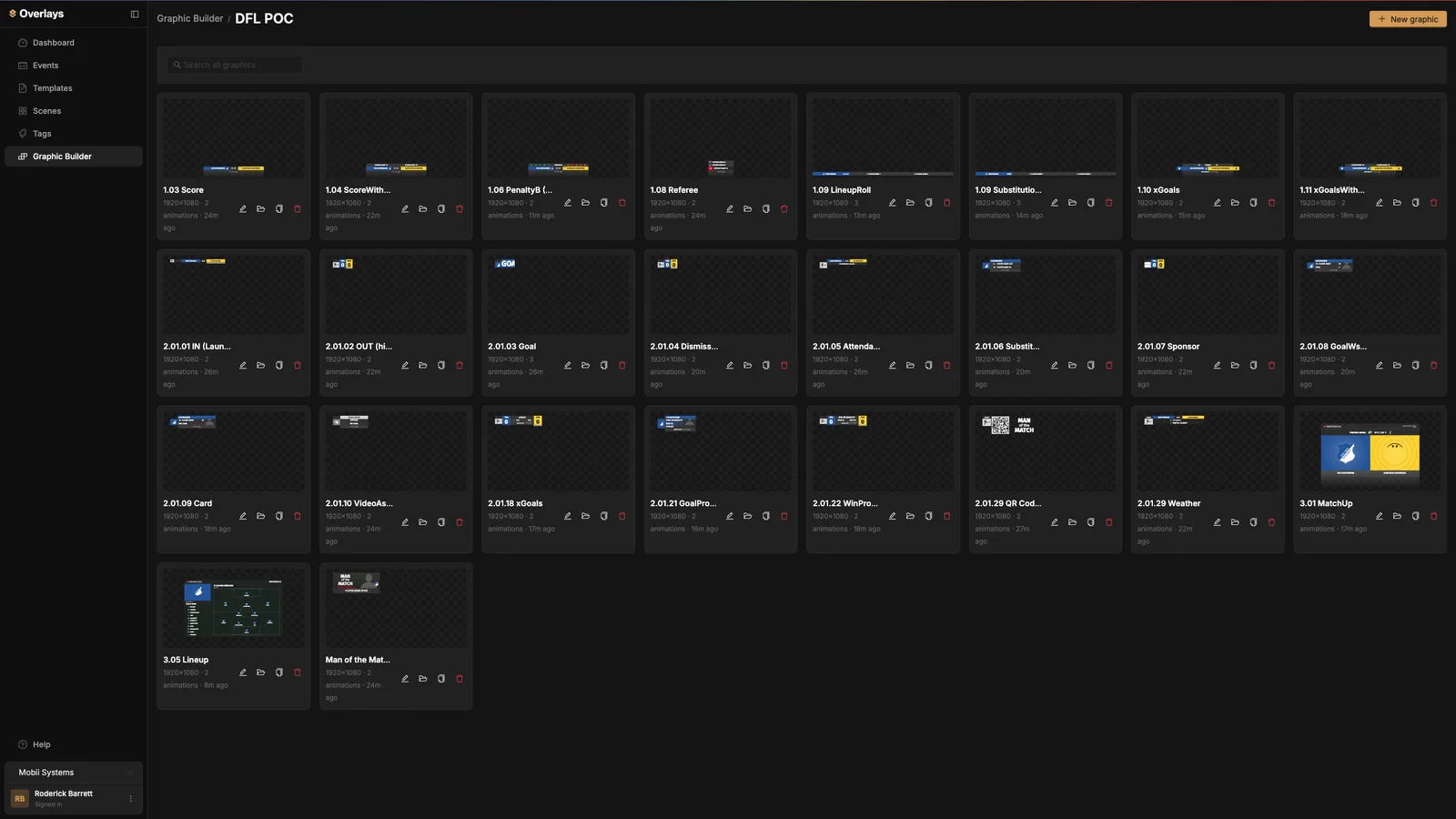
Tags for every scene, ready for automation or an operator
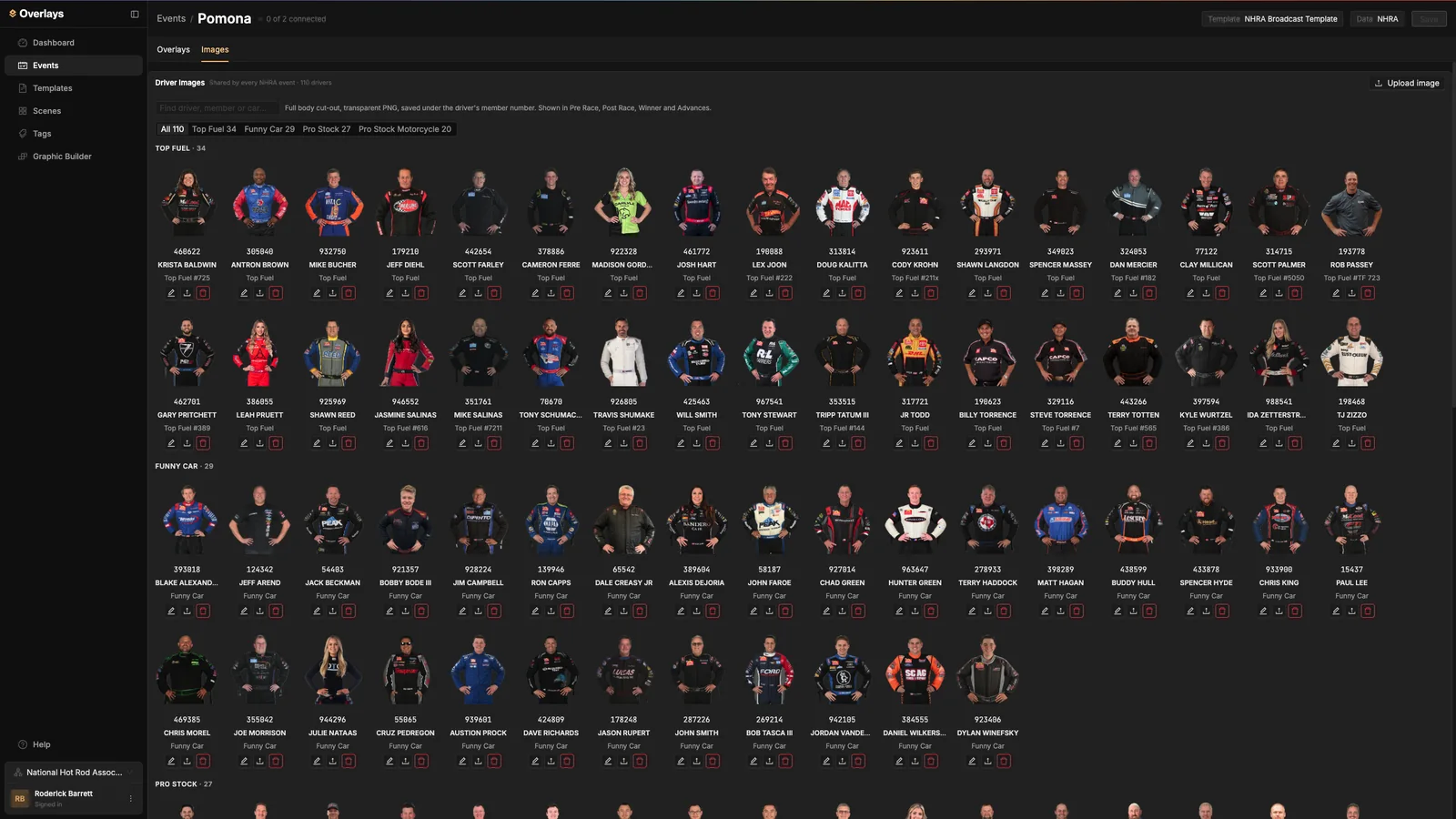
DesignBuild each graphic in the editor, from a HUD to a scorebug.LibraryEvery graphic for an event in one place, ready to reuse.AssetsPlayer and driver images matched to the data automatically.
Scene control
Every graphic, one press away
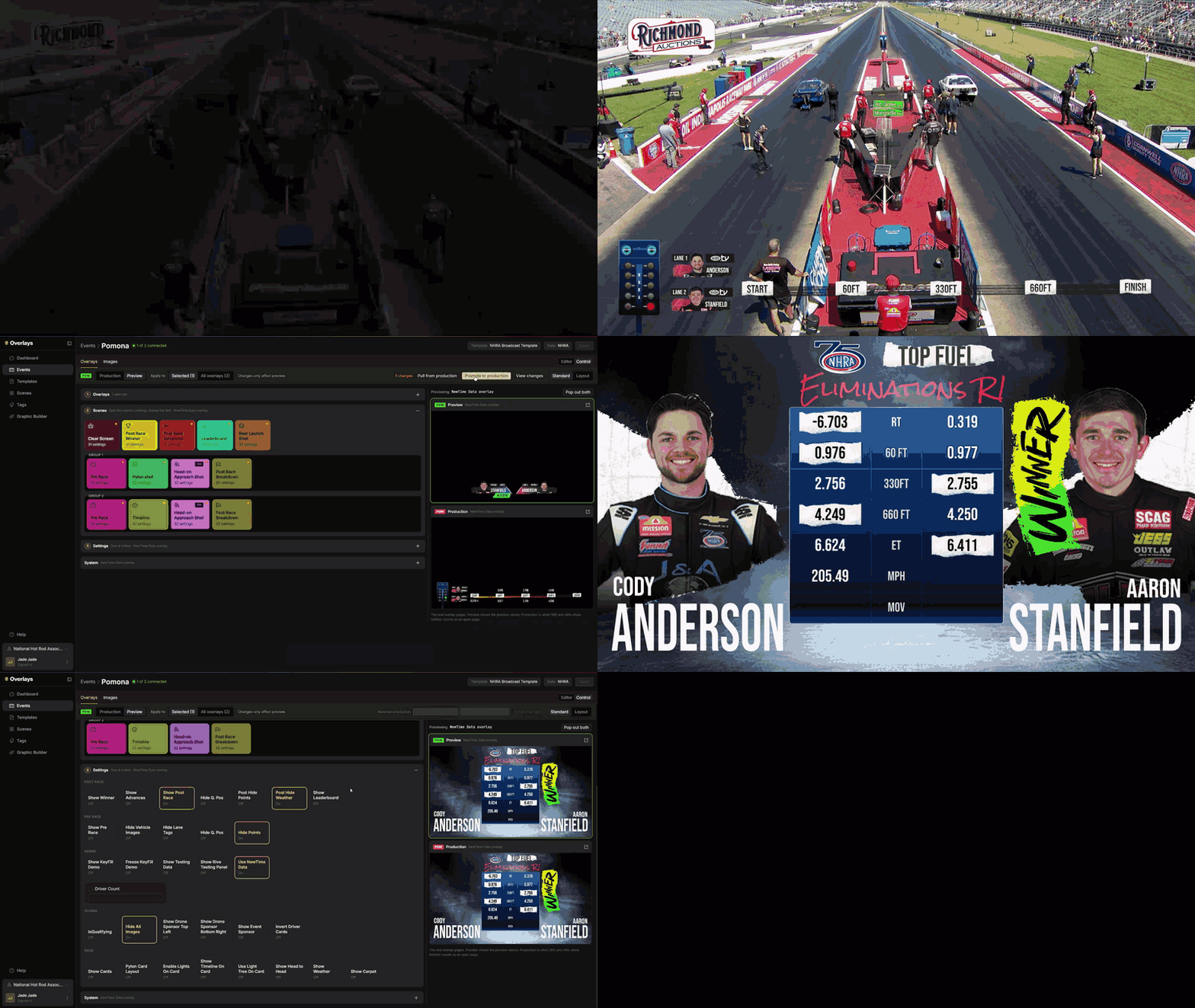
The controller groups every graphics scene for the event, so an operator can preview and take any graphic live, alongside the automation. Shown here on an NHRA broadcast.
Scenes grouped by colour, ready to preview and take with one press
Preview beside program, so every graphic is checked before air
Works alongside the automation, or takes over at any time
Hardware control panels through the Controller Add-On
In production
Studio on air today
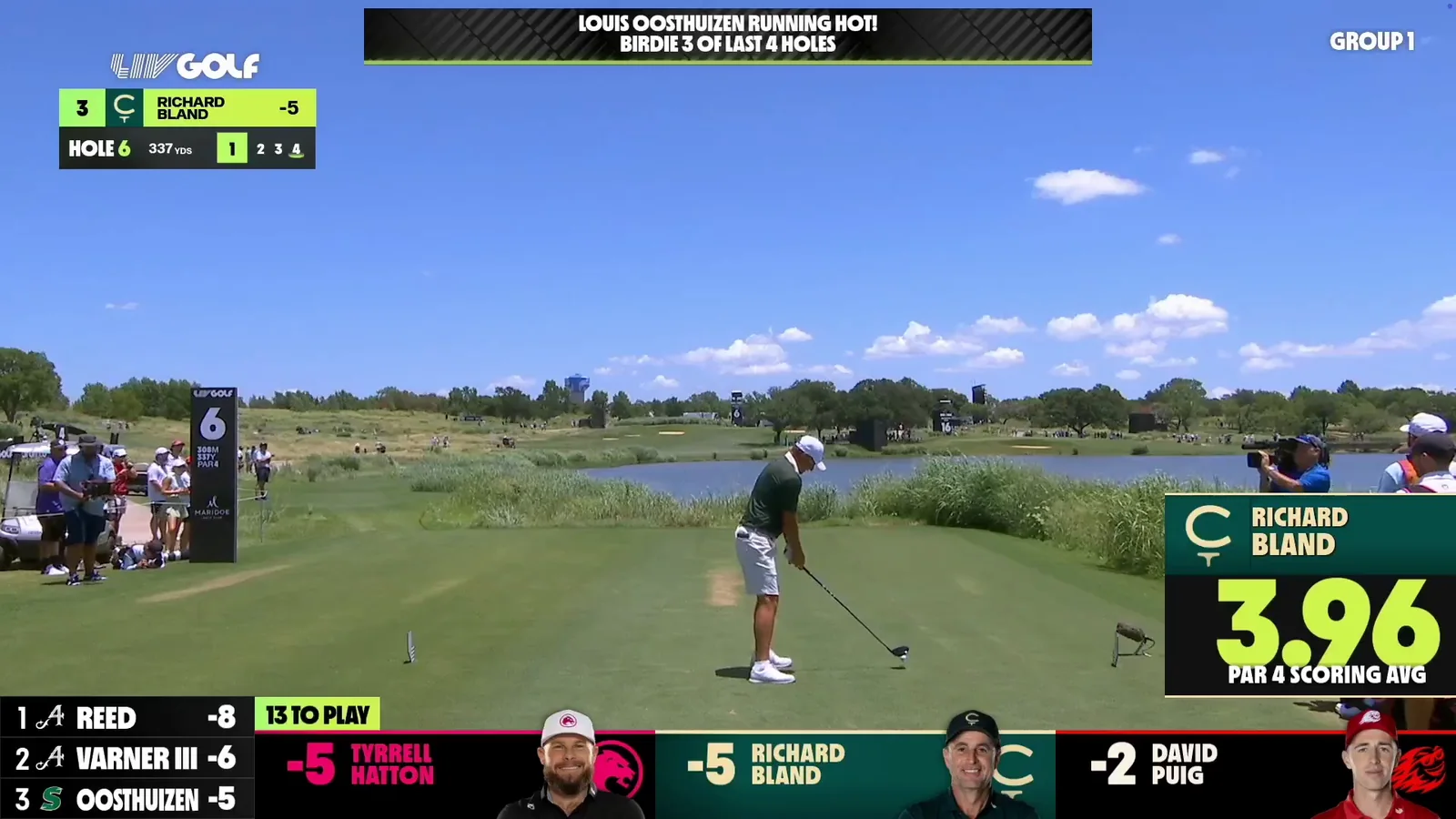
Automated graphics on every camera car, every NASCAR driver on HBO Max and a Multiview for every Skydance event, and previously every group and team at LIV Golf events.
No. Your team can create its own data by tagging moments in Code as they happen, connect official data feeds, or, with Studio Max, let Mobii’s AI detect what is happening from the cameras.
Can our operators take over during a live show?
Yes. Operators can override, hold, skip or take any decision early, and switch to manual with one control. A safe feed fallback means Studio never goes to black.
How do we set up a show?
Shows start from a template for your sport and are directed with plain language rules, such as “when the lead changes, show the top two”. Studio also has an MCP server, so you can describe the show to the AI assistant of your choice and review what it builds before it goes to air.
Can we test a show before it goes to air?
Yes. Any show can be rehearsed against sample data. While it runs, a live log and cut history show what Studio did and why.
Which outputs can Studio produce from one feed?
The main broadcast, multiviews and several outputs from one feed in every edition. Plus adds translated captions and graphics, and Max adds vertical feeds framed by AI and AI voiced commentary.
Where does Studio run, and on what terms?
On Mobii’s infrastructure, on Zenith encoders at the venue or the edge, or, with Enterprise, inside your own cloud environment. Output drops into existing switchers and galleries, and goes to broadcast, streaming and fan platforms in the formats they already use. Studio is available on monthly, annual or multi year terms, and each edition includes the matching edition of Code and your Prism tenant.



 Data from Code