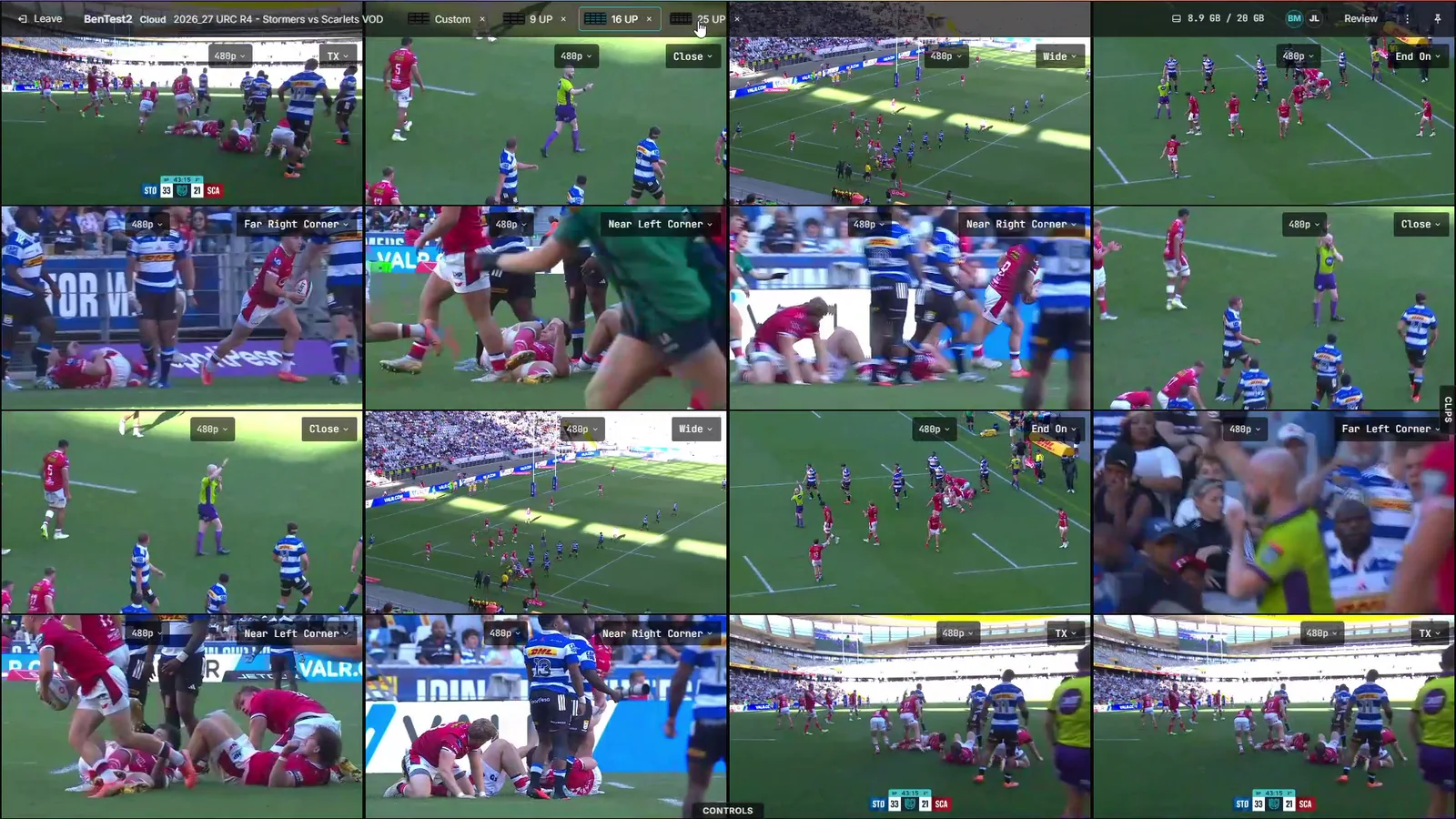
Review is Mobii’s product for reviewing any moment from every angle, with the data beside it. Officials, coaches, analysts and production teams see exactly what happened, in seconds, at the venue or anywhere in the world.
Try check: 4 anglesPit lane speed alertClip sharedMedical replay
RunsAt the venueOnline
Every team
OfficialsTMO, FPO, race control
CoachesFrame by frame
MedicalLive during the game
ContentClips and playlists
At a glance
Every angle, in step
Any number of camera angles locked to one timeline, frame by frame, without drift.
Data beside the video
Live timing, telemetry and statistics next to every angle, with alerts when the data shows a moment to review.
Works offline at the venue
Fully offline on a Mobii encoder at the stadium, and online for remote users.
Dashboards you design
Each user lays out the angles and data panels they need, saved for the next event.
Review together, anywhere
Shared sessions joined with a code, at the venue or remotely, with clips and comments shared instantly.
One tool for every team
Officials, coaches, medical and content teams on computers, tablets and phones, from the same footage.
The problem
Decisions depend on seeing everything
Officials, coaches and analysts need several angles of the same moment side by side, with the data beside them, and they need to act quickly. Too often the tools make that slow, expensive or impossible away from the venue.
Systems that do not agree
Replay systems and data tools are often separate, so the video and the data do not line up and teams waste time matching them.
Costly, specialized equipment
Traditional review relies on dedicated hardware and the vendor’s own operators, which puts it out of reach for many competitions and venues.
Unreliable venue connectivity
Review has to keep working when the stadium connection is poor or drops altogether.
Different tools for every team
Officials, coaches, medical staff and content teams each use their own tools, so the same footage is handled several times.
What it does
One review tool for every team
Review shows synchronized video and live data from the Mobii platform on one timeline. Every source is lined up before it reaches the screen, so every angle and every data point agree, and your own team runs it.
Dashboards you design
Each user arranges the camera angles and data panels they need, and saves them for the next event.
Locked in step
Any number of players play, pause, seek and scrub as one, with slow motion and frame by frame control.
Live data panels
Timing, telemetry and statistics beside the video, updating live.
Tags, bookmarks and alerts
Key moments marked by your team, your data or Mobii’s AI, with alerts when the data shows a moment that needs review.
Share and export
Share clips instantly with everyone in the same session, build playlists with notes, or export clips directly.
Venue and online
Fully offline at the venue with a Mobii encoder, and online for remote users, on computers, tablets and phones.
Live or after the event. A decision checked live by an official can be revisited by coaches the next day, with every angle and every data point still in step.
See it working
Review in use
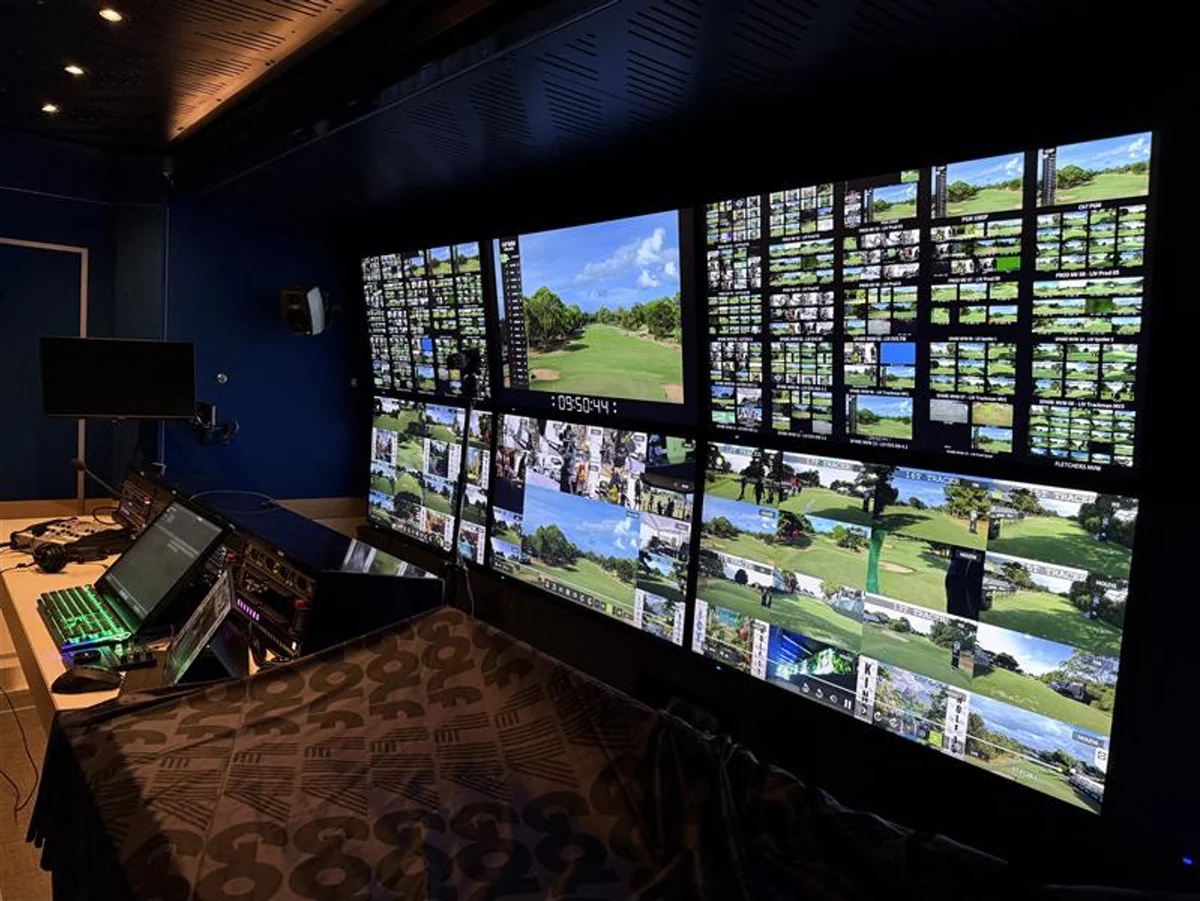
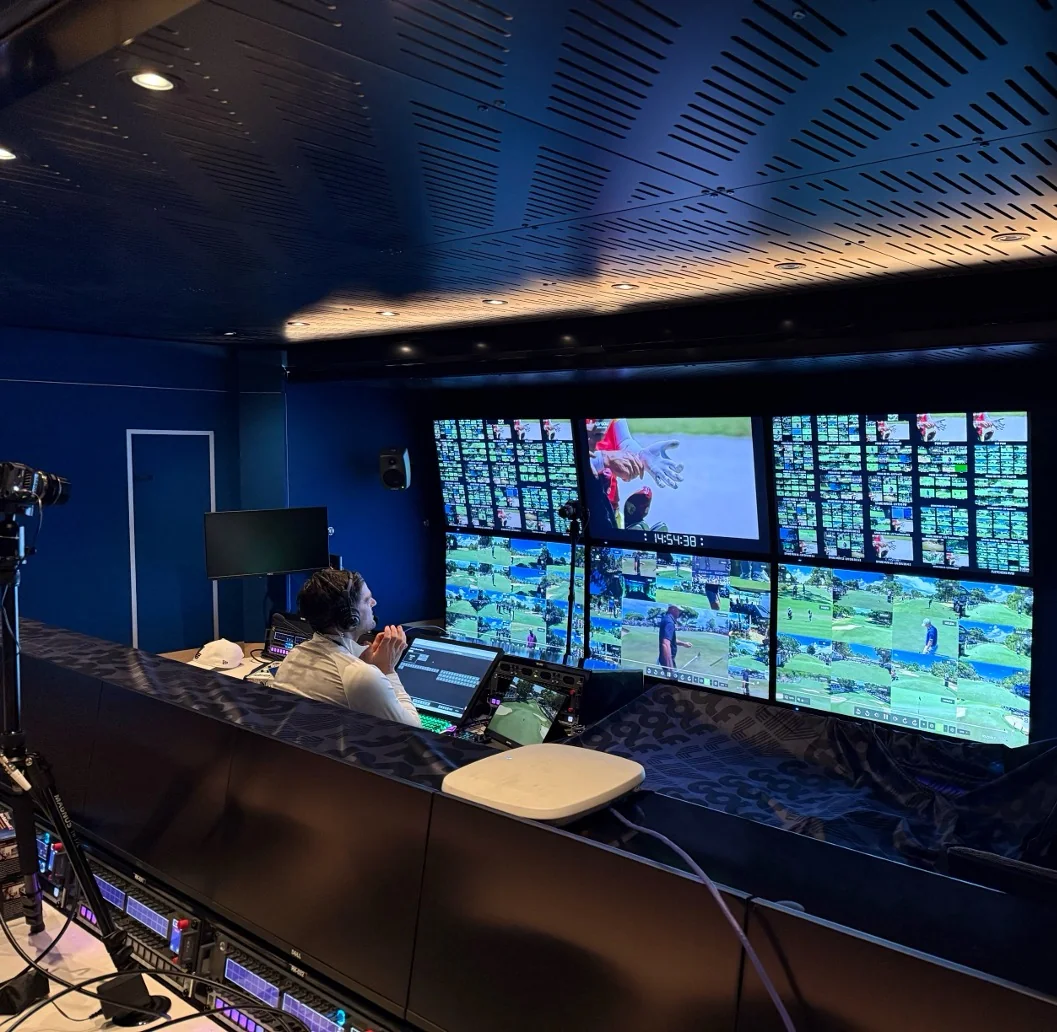
Review for the Rules Officials in the LIV Golf Rules Bunker, Review in motorsport with live data beside every angle, and how each user customizes their panels.
Now showing
Review in the Rules Bunker
Custom layouts, fast scrubbing, incident tags and frame by frame control for the LIV Golf Rules Officials.
Inside Review
Designed for people who decide
Simple enough for an official in a stadium booth, and detailed enough for an analyst working frame by frame.
Dashboards
Every angle, laid out your way
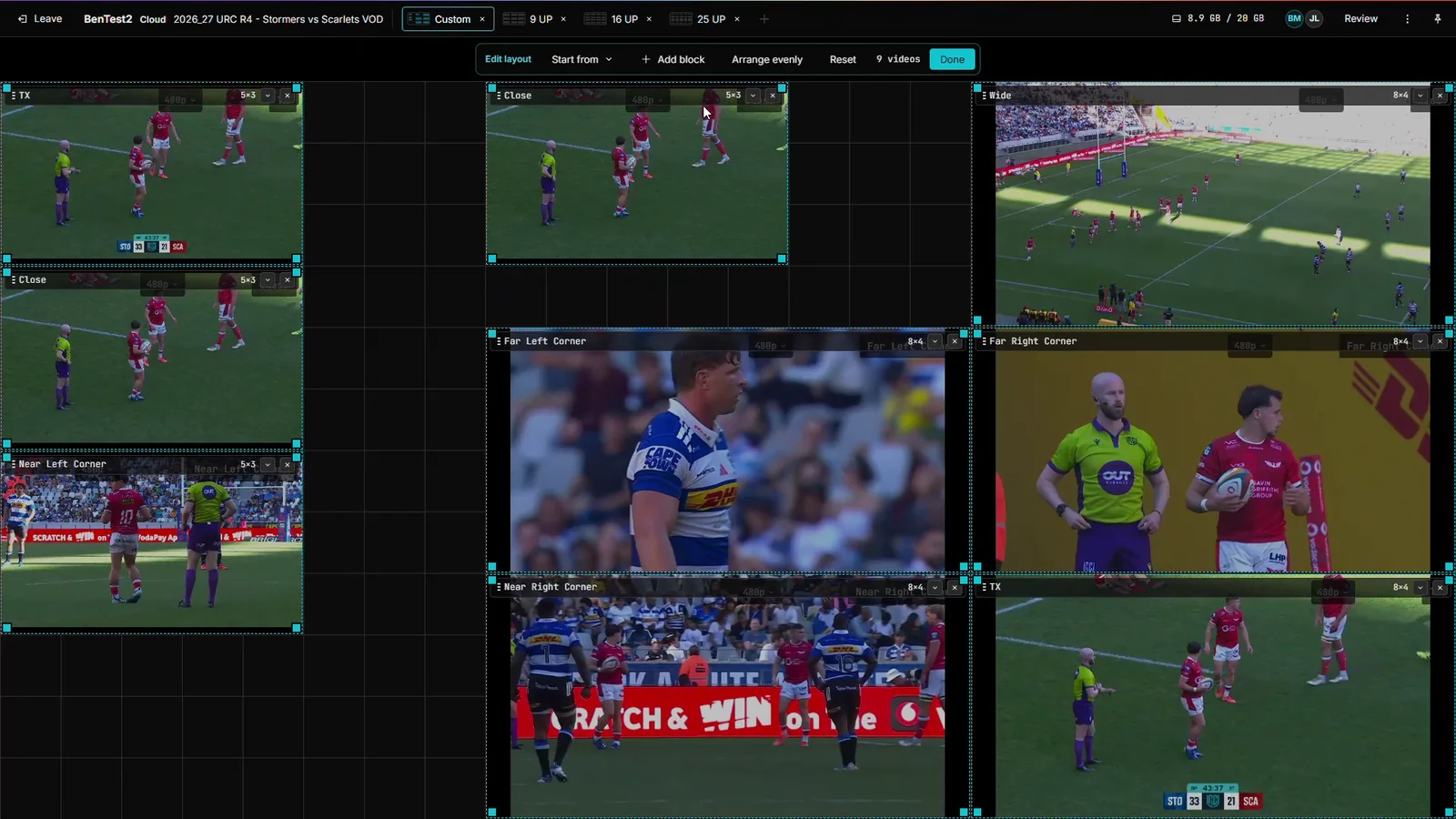
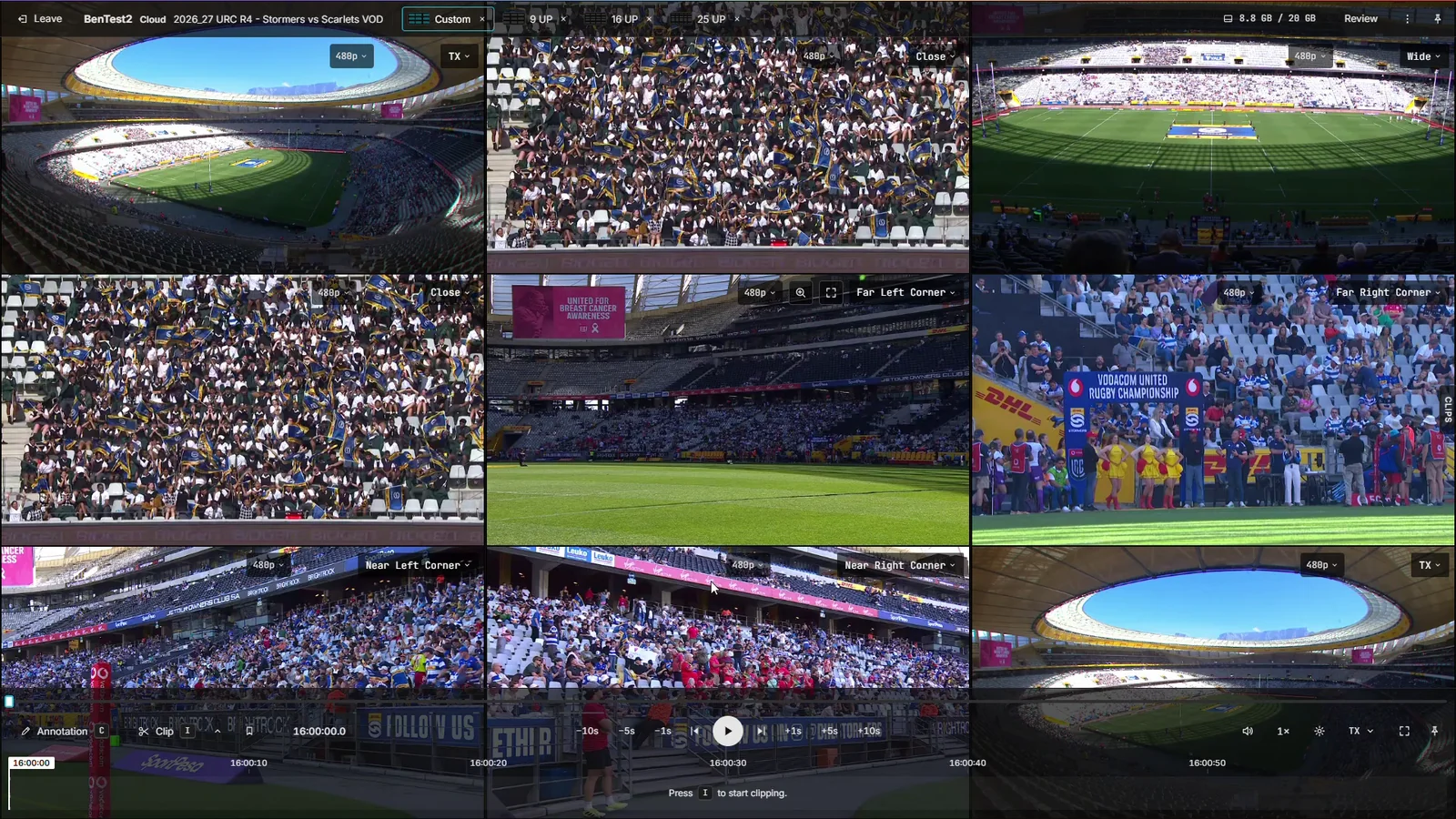
Each user builds the layout they need: a fixed grid of 9, 16 or 25 angles, or a custom layout with angles of any size, and data panels beside them. Layouts are saved for the next event.
Preset grids or a custom layout, block by block
Any camera in any position, at the size you need
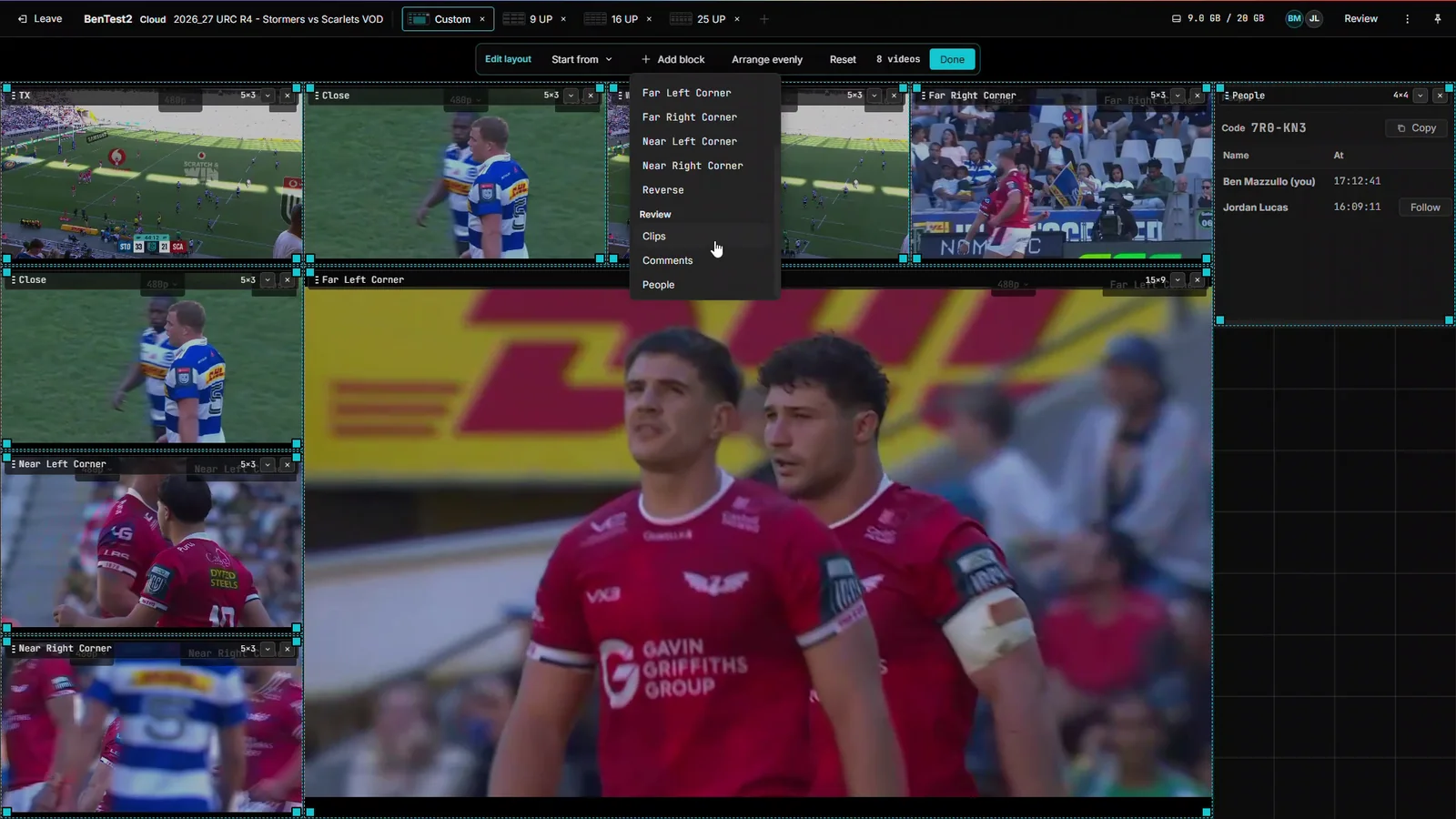
Data panels, clips, comments and people alongside the video
Saved for every event, per user
Frame accurate
Locked in step, frame by frame
Lock any number of players together and they play, pause, seek and scrub as one, without drift. Step frame by frame, slow down, annotate, and clip the moment that matters.
Any number of players, locked or independent
Slow motion, scrubbing and frame by frame control
Annotations on the picture
Clips of 5 seconds before and 10 after by default, adjustable at any time
Collaborate
Review together, wherever you are
Review sessions are shared. Colleagues join with a session code, follow each other’s playback and see the same moment at the same time, at the venue or remotely. Clips and comments are shared instantly with everyone in the session.
Join a session with a code, at the venue or remotely
Follow another user’s playback
Clips and comments shared instantly in the session
Playlists and direct export for after the event
At the venue
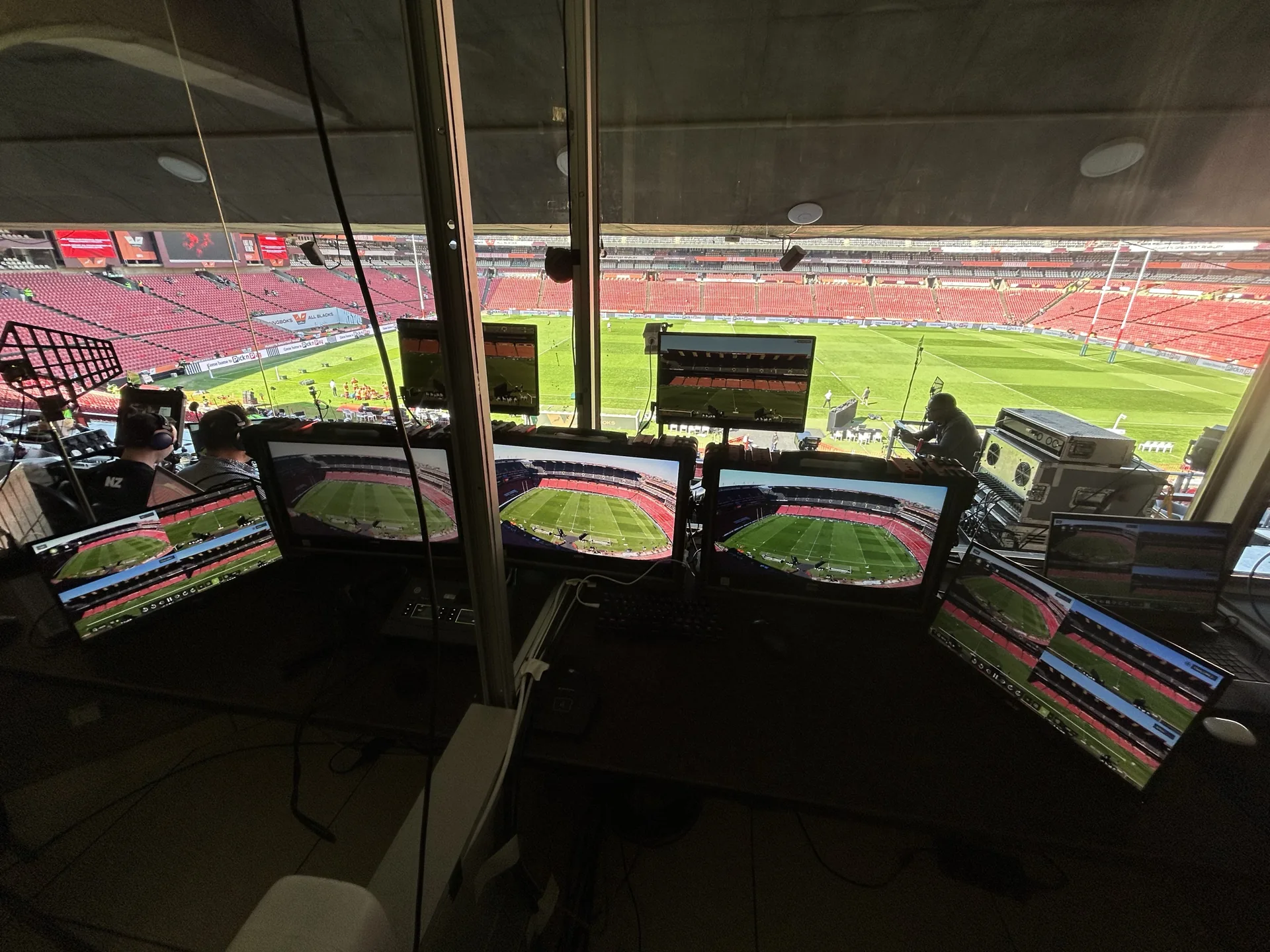
In the officials’ booth
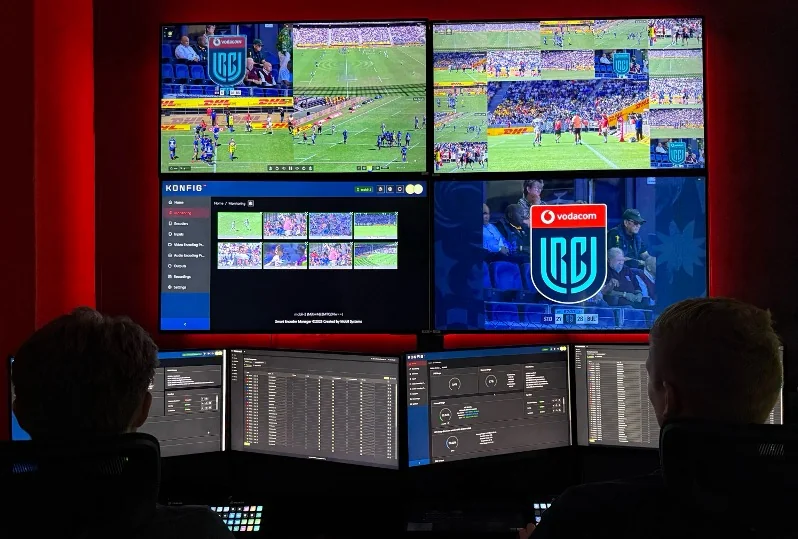
Review runs on Mobii encoders in the stadium, so Television Match Officials and Foul Play Officials can review key incidents from every available camera angle as the match is played.
Panels and camera layouts set up for each official
Every available camera angle, frame by frame
Fully offline at the venue on a Mobii encoder
Used for TMO and FPO review at South African Rugby Union matches
In practice
A moment for every team
Officials, race control, coaches, medical, production and content teams all work from the same synchronized footage and data.
Team
A typical moment in Review
Match officials
A possible try is checked from four angles at once, frame by frame, before the decision is given
Race control
An incident is reviewed on every onboard camera beside live telemetry, and shared with the stewards
Coaches and analysts
A set piece is reviewed from every angle at half time, with tagged moments ready to show the team
Medical teams
A head impact is reviewed from several angles to support an assessment
Production teams
Program feeds, cameras and graphics are checked side by side during the live show
Content and commercial teams
Moments are found by tag and exported, or sponsor visibility is evidenced for partners
The Rules BunkerEvery course feed for the LIV Golf Rules Officials.At the venueReview on the Zenith encoders over the venue network.Match officialsMulti angle review for rugby officials.
Video and data together
Every data point, in step with every angle
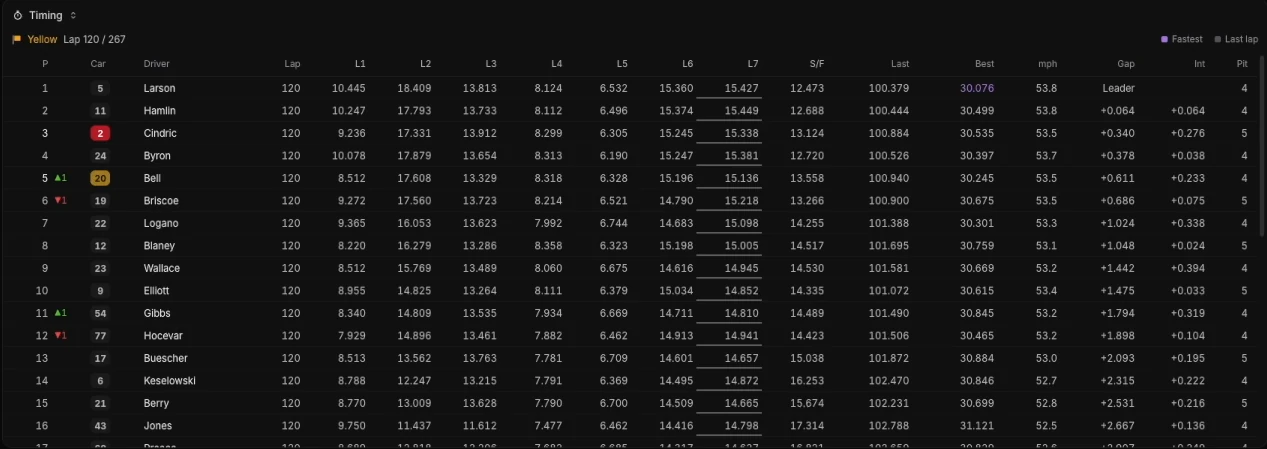
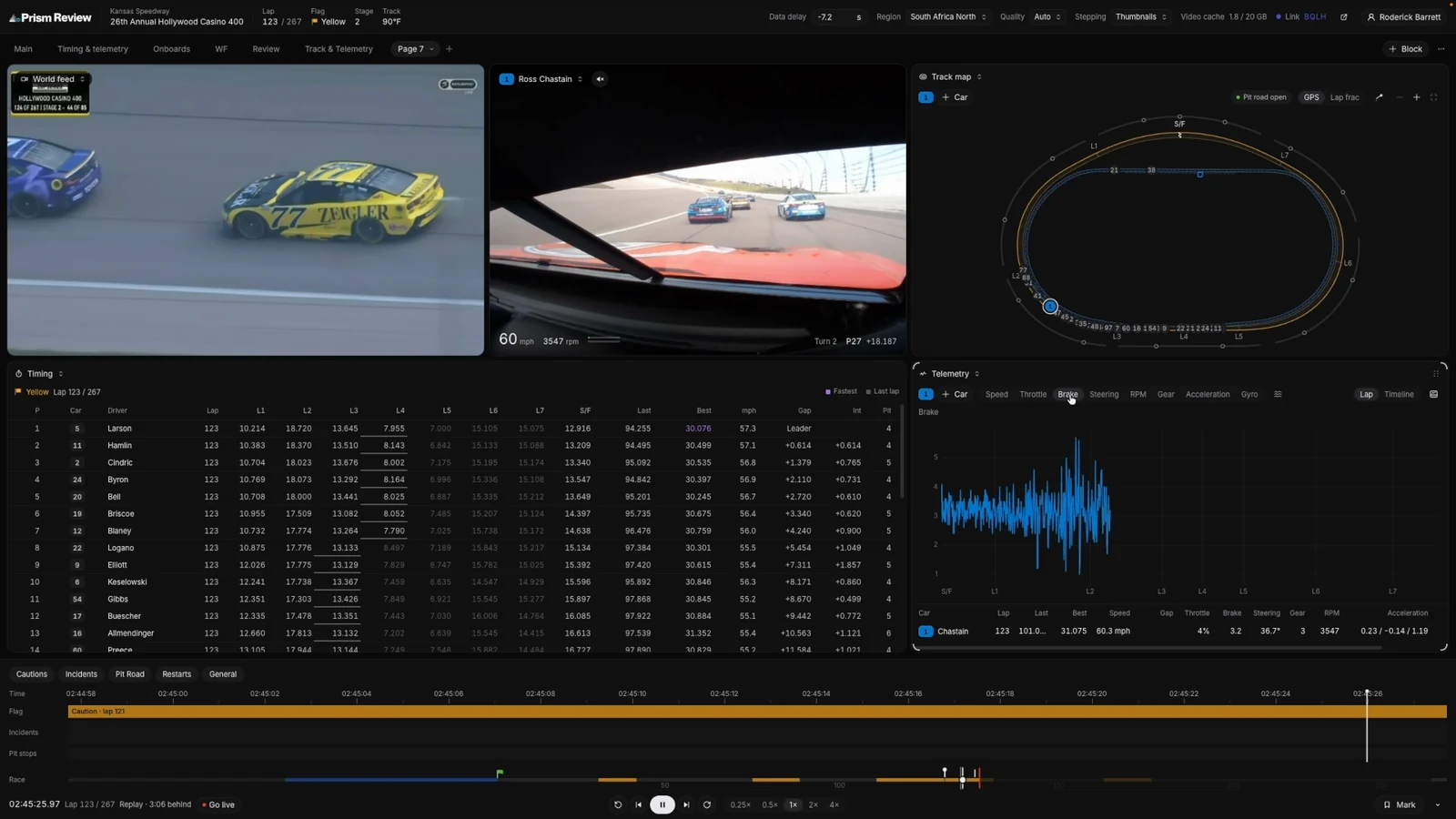
Review brings the data from Code into each dashboard as widgets: timing, telemetry, track position and race events. Fusion keeps it frame aligned to the video, so when you scrub any angle, every widget moves with it.
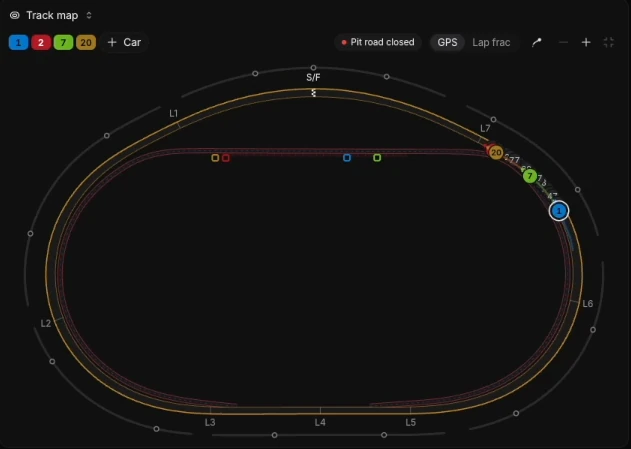
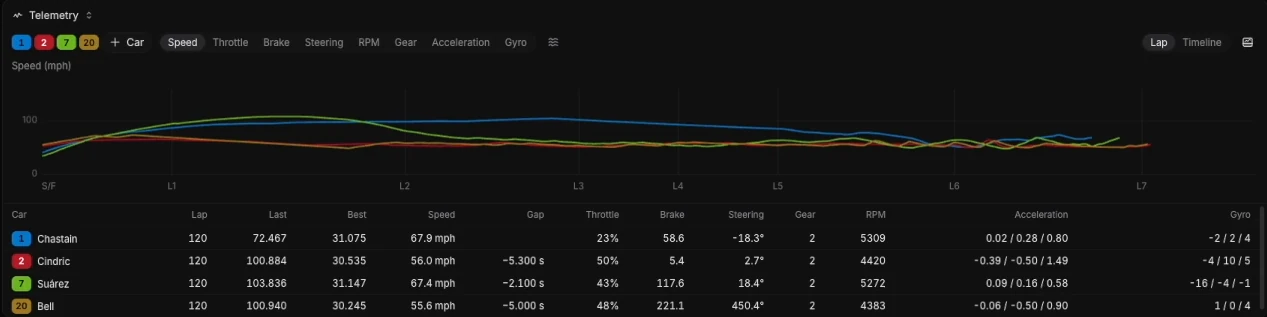
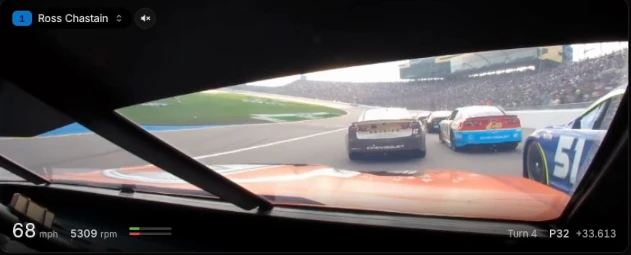
A race control dashboard. The world feed, an onboard camera, the track map, live timing and brake telemetry, all on one clock. Each user builds and saves their own pages.
Live timingEvery car’s sector times, last and best lap, speed, gaps and pit stops, from the official timing feed.
Track mapEvery car’s position on track, with the cars you are following highlighted and pit road status.
TelemetrySpeed, throttle, brake, steering, RPM, gear and acceleration for the cars you choose, by lap or on the timeline.
Onboards with live dataEach onboard camera carries the car’s speed, RPM, track position and gap to the leader.
Race timelineFlags, incidents, pit stops and restarts on one timeline under the video. Click any event to jump every angle and widget to that moment.
Incident review
From the data to the decision
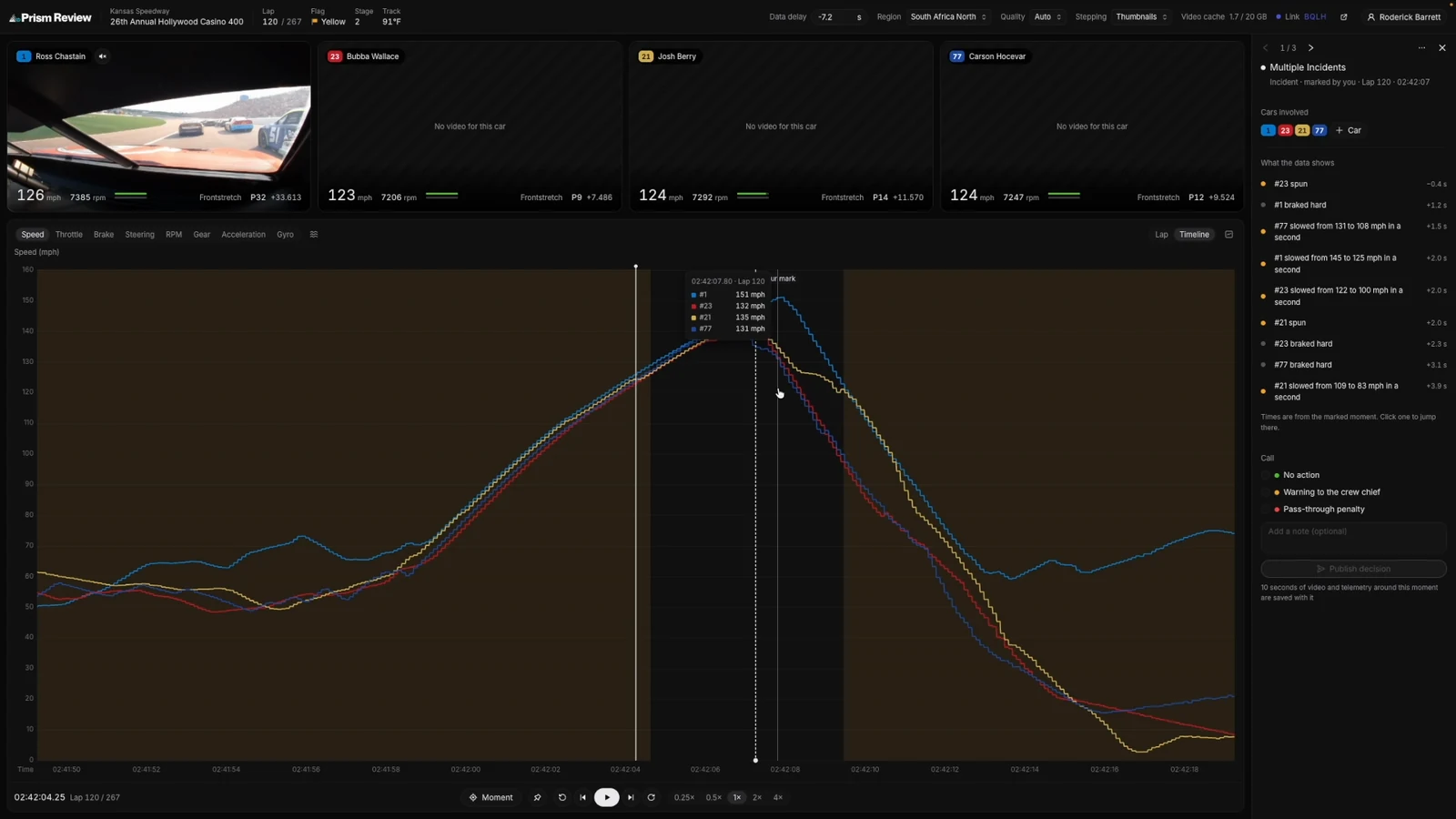
Mark a moment and Review lines up the cars involved, their onboards and their telemetry around it. The data is summarized in plain language, and race control records its call with the video and telemetry saved alongside.
Speed traces for every car involved, on the same timeline as the video
What the data shows, such as a car that spun or braked hard, with the time of each
Jump to any point from the summary
Record the call, such as no action, a warning or a penalty, with 10 seconds of video and telemetry saved with it
Live data widgets come with Review Plus, which includes Code Plus and its Data Connectors. Review Max adds moments detected by Mobii’s AI as tags and alerts.
In production
Review at work
Officials, coaches and medical teams across the South African Rugby Union, and previously the Rules Officials at every LIV Golf event.
Review works from the same video and data as every other Mobii product. Code supplies the tags and live data beside the video, and Studio produces the live outputs teams can check in Review. There is nothing to line up on the device.
Synchronized video
Fusion aligns every angle before it reaches the player.
Live data
Code supplies timing, scoring and telemetry on the same clock.
One timeline
Review shows the numbers next to the pictures they describe.
Who it is for
Built for every review need
Standard devices and Mobii encoders bring multi angle review within reach of more events and venues.
Organization
Typical challenge, and what Review delivers
Leagues and unions
Consistent officiating and medical review across many venues. Review gives the same capability in every stadium, offline when needed
Venues and stadiums
Infrastructure that serves more than one purpose. The same encoders support review, analysis, production and content
Race control and officials
Fast decisions with every angle and the live data. Synchronized onboard and track cameras sit beside telemetry and timing
Teams and coaches
Detailed analysis without specialist equipment. Multi angle review on laptops and tablets, live and after the event
Broadcasters and producers
Checking outputs and graphics during the live show. Program, camera and graphics feeds side by side, in step
Editions
Core, Plus and Max
Compare what each Review edition includes. Start with what you need and move up as you grow.
EditionsEach edition includes your Prism tenant and the matching edition of Code.
Review CoreSynchronized multi angle review, with data your team createsIncludes Code Core
Review PlusAdds live data panels and alertsIncludes Code Plus
Review MaxAdds AI that detects moments and raises alertsIncludes Code Max
Watch
Dashboards designed by each user
Any number of synchronized players, locked or independent
Frame accurate control, slow motion and scrubbing
Computers, tablets and phones
Where
Fully offline at the venue with a Mobii encoder
Online for remote users
Mark
Tags from your team’s tagging
Bookmarks
Official data events as tags
Moments detected by AI as tags
Data and alerts
Live data panels for timing, telemetry and statistics
Alerts on data triggers you set
Alerts on incidents detected by AI
On screen text beside the video
Review across many venues, moments flagged automatically
Share
Playlists, notes and sharing
Export clips, or hand them to Moments
Code edition included
Core
Plus
Max
Add as you need
Venue encodersFusion Core on each Mobii encoder at the venue.
Yes. Review runs fully offline at the venue on a Mobii encoder, and online for remote users.
How many camera angles can we review at once?
Any number of players, locked together or independent. Use a preset grid of 9, 16 or 25 angles, or build a custom layout with angles of any size.
Can we see live data beside the video?
Yes. Review Plus adds live data panels for timing, telemetry and statistics, and alerts on data triggers you set.
Can several people review the same moment together?
Yes. Colleagues join a shared session with a code, at the venue or remotely, follow each other’s playback and share clips and comments instantly.
Which devices does Review run on?
Computers, tablets and phones.
Do we need dedicated replay hardware or the vendor’s operators?
No. Your own team runs Review, on Mobii encoders on the venue network, and Review at the venue runs on your encoders with no usage charge.
Where does Review run?
On Mobii encoders on the venue network, fully offline when needed, and online for remote users through Mobii’s cloud or, with Enterprise, inside your own cloud. The same encoders also support analysis, production and content between events.